
Image mode
Create one static anime image from a text prompt.
- Input
- Text prompt
- Controls
- Standard or advanced image mode
- Output
- One 1024 × 1024 image with a download action
- Access
- Standard images cost 1 credit; advanced mode requires a paid plan
เครื่องสร้างอนิเมะ AI
ใช้ เครื่องสร้างอนิเมะ AI เพื่อวางแผนงานอนิเมะด้วยพรอมป์ต์ โครงสร้าง รายละเอียดตัวละคร และขั้นตอนแก้ไขถัดไป
การสร้างรายละเอียดที่สูงขึ้นสําหรับแผนชําระเงิน
ตัวอย่างผลลัพธ์
สิ่งที่อินพุตที่มุ่งเน้นสามารถสร้างได้
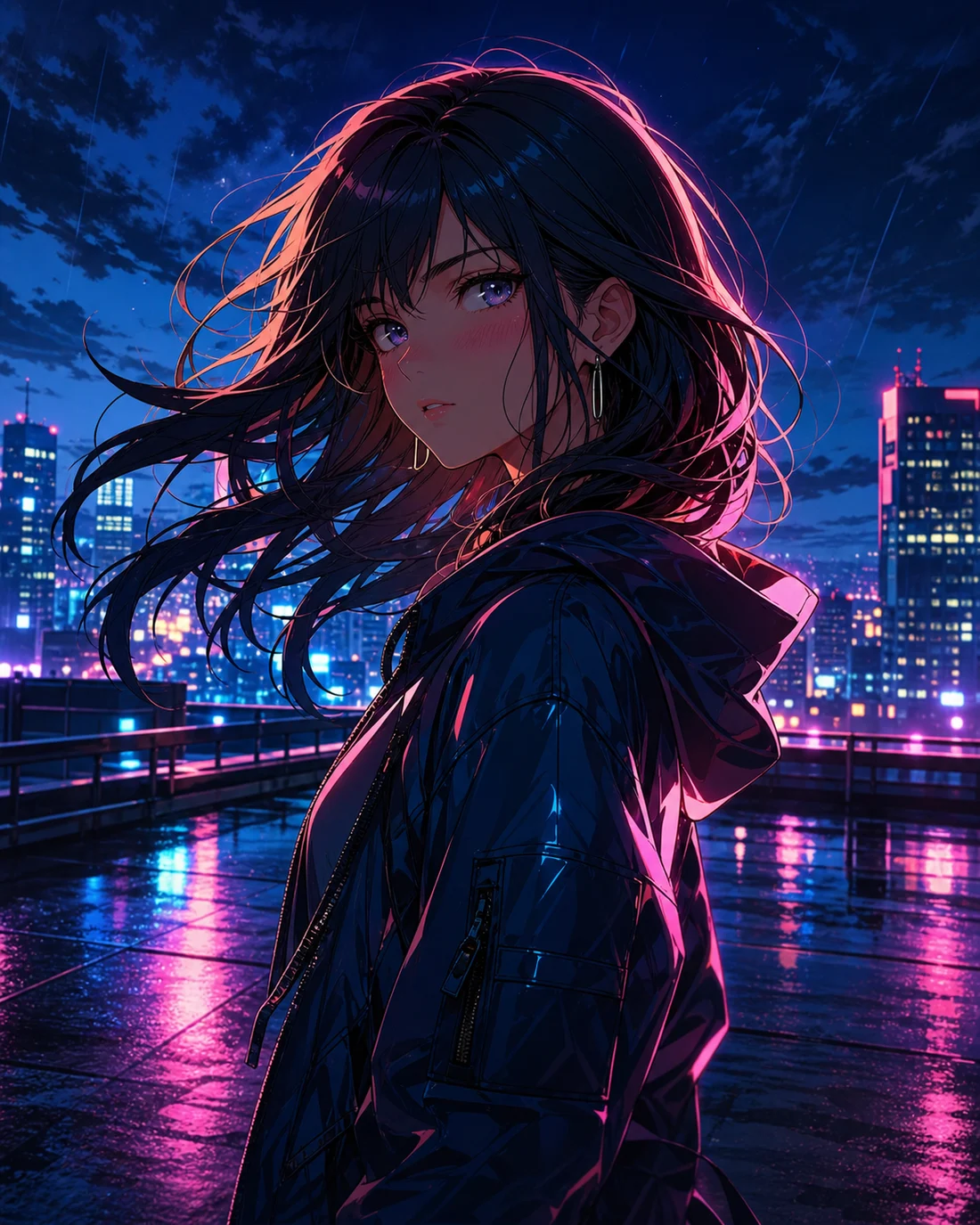
ภาพมาตรฐาน
ภาพขั้นสูง
บรีฟชัดเจน
กำหนดอินพุต เป้าหมาย และจุดโฟกัสภาพ
โครงสร้าง
จัดตัวละคร กล้อง จังหวะ และพื้นที่ข้อความ
ปรับต่อได้
เก็บรายละเอียดไว้ใช้แก้ไขต่อ
Mode capabilities
Both modes start with a prompt, but they use different inputs, controls, outputs, and credit rules. Choose the output first, then prepare the matching input.
Create one static anime image from a text prompt.
Create an animated anime clip from text or a reference image.
กรณีการใช้งาน
เครื่องสร้างอนิเมะ AI ทำงานได้ดีที่สุดเมื่อเป้าหมายชัดเจน ระบุหัวข้อ สไตล์ วิธีใช้งาน และรายละเอียดที่ต้องรักษาไว้ก่อนสร้างหรือปรับแก้

01
สรุปตัวละคร ฉาก อารมณ์ และเป้าหมายเป็นคำสั่งสั้น ๆ
“Anime character portrait on a neon rooftop at night, cyan and magenta rim light, expressive eyes, cinematic close-up”
02
เพิ่มสีหน้า เสื้อผ้า พื้นหลัง องค์ประกอบ และทิศทางสไตล์เพื่อประเมินผลงานได้ง่ายขึ้น
“Watercolor anime heroine walking through a quiet town at sunset, gentle camera push, hair moving in the breeze”
03
เผื่อการเรียงภาพ พื้นที่ข้อความ หรือจังหวะการเคลื่อนไหวตั้งแต่ต้น
“Cyberpunk anime interface comes alive around a focused pilot, glowing controls, slow cinematic camera move”
เวิร์กโฟลว์
STEP 01
เลือกเป้าหมายหลักหนึ่งอย่าง และหลีกเลี่ยงการผสมไอเดียที่ไม่เกี่ยวกัน
STEP 02
สร้างเวอร์ชันแรกด้วยพรอมป์ต์สั้น ๆ แล้วค่อยปรับภาพ ตัวละคร และโครงสร้าง
STEP 03
เก็บโน้ตสี กล้อง ตัวละคร และข้อความไว้ใช้แก้ไขต่อ
Prompt method
Write the subject, setting, visual direction, camera, and output-specific instruction in that order. Images need composition; videos also need one action and one camera move.
“Original anime swordswoman, short silver hair, deep blue cape, neon street in the rain, cyan rim light, bust portrait, clean cel shading”
เปรียบเทียบ
เริ่มจากหัวข้อนี้
เหมาะสำหรับกำหนดทิศทางภาพ ข้อความ และโครงสร้างก่อนเริ่มสร้าง
เมื่อยังไม่มีสื่ออ้างอิง
เขียนหัวข้อ สไตล์ องค์ประกอบ และวิธีใช้งานก่อนสร้างเวอร์ชันแรก
เมื่อมีภาพหรือรูปถ่ายอยู่แล้ว
ใช้ภาพอ้างอิงเพื่อยึดตัวตน ท่า หรือองค์ประกอบ ขณะเปลี่ยนสไตล์
เมื่อจำเป็นต้องมีข้อความหรือเลย์เอาต์
แยกข้อความและเลย์เอาต์ไว้ช่วงท้ายจะช่วยให้อ่านง่ายขึ้น
Quality and recovery
คําถามที่พบบ่อย
เครื่องสร้างอนิเมะ AI ช่วยเปลี่ยนไอเดียให้เป็นเวิร์กโฟลว์อนิเมะที่มีโครงสร้าง สไตล์ และโน้ตพร้อมปรับต่อ
เริ่มด้วยหัวข้อ ฉาก อารมณ์ สไตล์ และวิธีใช้งาน ยิ่งบรีฟแรกชัด ยิ่งปรับปรุงได้ง่าย
ใส่หัวข้อ แอ็กชัน พื้นหลัง สี กล้อง พื้นที่ข้อความ และวิธีใช้งาน เพิ่มลักษณะสำคัญเมื่อต้องการความสม่ำเสมอ
ข้อความในภาพ AI มักต้องแก้ไข ควรวางแผนข้อความและตำแหน่งก่อน แล้วใส่ข้อความสุดท้ายหลังภาพนิ่งพอแล้ว
ได้ คุณสามารถไปต่อเป็นตัวละคร แปลงรูปเป็นอนิเมะ คอมิก มังงะ บอลลูนคำพูด หรือวิดีโอสั้น
“Anime seaside train station on a cliff at golden hour, distant summer clouds, wide composition, soft watercolor texture, quiet nostalgic mood”
เปิดเครื่องมือสร้างอนิเมะด้วย AI“Anime girl under cherry blossoms gently blinks and turns toward camera, breeze moves her hair and petals, slow camera push, restrained natural motion”
เปิดเครื่องมือสร้างอนิเมะด้วย AI“Mecha pilot activates a glowing control deck, instruments light up in sequence, camera slowly arcs from behind, blue and amber lighting, cinematic pacing”
เปิดเครื่องมือสร้างอนิเมะด้วย AIReduce the number of subjects, remove conflicting styles, and generate one scene first.
Keep one action, shorten the motion brief, and add a clear reference image when needed.
Use JPG, PNG, or WebP, or provide a public HTTP(S) image URL that the browser can reach.
Check the plan and current balance first. Failed video tasks attempt to refund the credits used.