
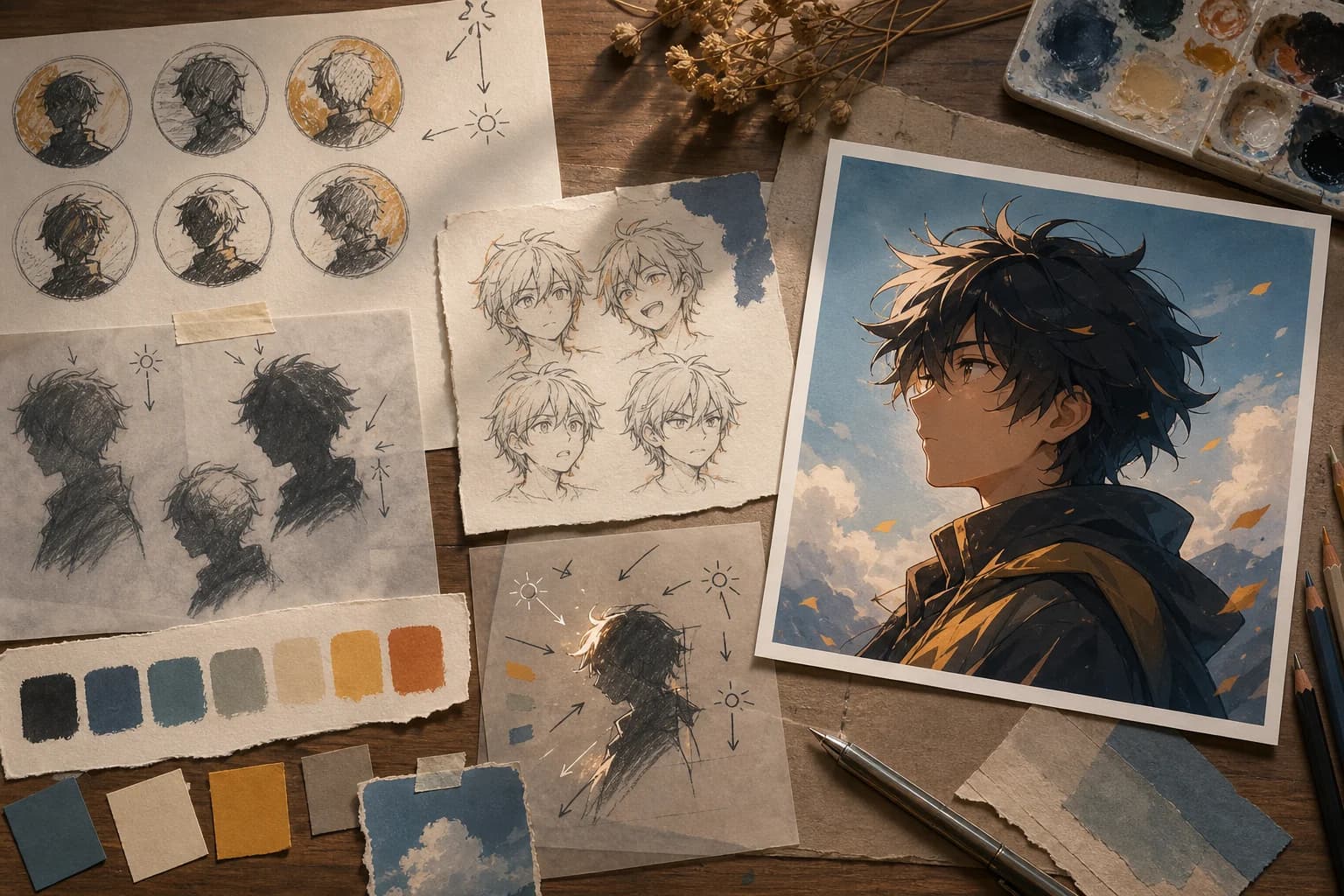
01
Write a one-line identity brief
Name the person’s role, temperament, silhouette, two stable facial or hair traits, one signature prop, and a small palette. This gives the portrait a visual identity without burying the face under lore.
Anime avatar generator
Describe one original character, a readable expression, and a background that survives a circular crop. Generate a square anime profile picture, inspect it at thumbnail size, then finish the chosen image for the account where it will actually appear.
The working generator is here in the first viewport. Describe one original adult character, head-and-shoulders framing, expression, palette, light, background, and the visual detail that should remain recognizable after a circular crop. Each run returns one square raster image on this page.
Higher-detail generation for paid plans
Example outputs
What one focused input can produce
Standard image
Advanced image
Actual output
one newly generated 1024×1024 flattened square raster image
Useful for
original profile-picture concepts, creator personas, role-playing characters, community accounts, game guild identities, and coordinated avatar pairs
Not provided
selfie conversion, verified likenesses, face recognition, identity training, automatic account publishing, transparent PNGs, vector icons, editable layers, or guaranteed character consistency
Product and guidance reviewed 2026-07-22
Product behavior was checked against the site image request type, authentication flow, 1024×1024 output setting, credit handling, and in-page result state. Accessibility and rights guidance refers readers to W3C image guidance and the U.S. Copyright Office AI initiative where appropriate.
A profile picture often appears smaller than a postage stamp. Strong face placement, a clean silhouette, controlled contrast, and one memorable accent matter more than a crowded costume or elaborate scenery.
01
Name the person’s role, temperament, silhouette, two stable facial or hair traits, one signature prop, and a small palette. This gives the portrait a visual identity without burying the face under lore.
02
Ask for head-and-shoulders framing, generous space around the hair, and all important features inside an imagined circle. Corners can hold atmosphere, but they should not contain the only meaningful prop.
03
A calm alert gaze, guarded half-smile, or open laugh is more direct than a list of conflicting moods. One key-light direction and a restrained fill make the face easier to read at icon size.
01
Decide whether the avatar represents a personal creator identity, an original character, a community role, or one half of a coordinated pair.
02
Record hair shape and color, eye direction, clothing color, one accessory, expression, and the background motif that should survive the crop.
03
Request one bust portrait with the face away from the edges, simple foreground geometry, and clear separation between the hair and background.
04
Review the full square, then shrink it to the approximate size used in comments, member lists, or chat. Reject weak eyes, muddy silhouettes, and lost accents.
05
Crop a copy for the destination, remove accidental marks, preserve an editable master, add useful alt text where supported, and keep the prompt and rights record.
“Original adult coastal astronomer, chest-up, three-quarter view, amber eyes, dark navy curls, small brass telescope charm, pale-gold rim light, simplified observatory sky, circular crop safe, readable at 64 pixels, no text.”
Why this survives the crop: The charm supports the role without competing with the face. The navy silhouette and pale rim remain distinct when the detailed sky disappears at thumbnail size.
“Original adult editorial illustrator, head and shoulders, confident neutral expression, short charcoal curls, rust overshirt, cobalt pencil behind one ear, warm off-white paper background, soft left key light, simple anime linework, circular crop safe.”
Why this survives the crop: The limited background and one cobalt accent make the portrait useful for a portfolio or community account without pretending to reproduce a real person.
Use the section that matches the decision in front of you: identity brief, framing, expression, palette, background, matching sets, review, export, accessibility, or rights.
A useful prompt starts with where the image will live and what it must communicate. A personal creator account may need a calm, approachable portrait that does not impersonate a photograph. A role-playing profile can carry a stronger costume and story prop. A moderator account may prioritize a distinctive silhouette and clear expression in a crowded member list. A matching pair needs a visible relationship while each image remains understandable alone. Write that job in one sentence before choosing hair color or lighting.
Build an identity brief from a few repeatable anchors: role, temperament, age range, face or hair silhouette, clothing palette, one accessory, and one environmental cue. “Adult night-train cartographer, calm and alert, short navy waves, cobalt coat, brass compass earring, amber window light” is more actionable than dozens of style adjectives. The anchors explain what should remain visible; the rest of the prompt can describe composition and finish.
The page has no selfie upload and does not train on your face. A prompt can describe an original persona, but the result is not identity verification, a measured likeness, or evidence of how someone looks.
Repeating hair, palette, expression, and accessory improves art direction but does not lock facial geometry. Save the chosen image and manually edit it when continuity matters.
The generated result is a 1024×1024 raster image, not a layered PSD, vector icon, transparent portrait, animation, avatar rig, or set of platform-specific crops.
Fine jewelry, thin glasses, background objects, delicate gradients, and quiet facial cues may disappear after resizing. Test the actual thumbnail instead of judging only the large preview.
Reviewed 2026-07-22 · Anime Maker product and editorial team
Page illustrations are editorial examples, not live account task logs. Judge the tool by the result shown in your own output panel.
It creates one new 1024×1024 square anime-style raster image from your text prompt. The result appears on the same page and can be reviewed as a profile-picture concept.
No. This page accepts text only. If you have permission to transform a photo, use the separate Photo to Anime tool, which has a reference-image workflow and different identity limitations.
State the account role, one original adult subject, head-and-shoulders framing, hair and face anchors, one expression, a small clothing palette, one accessory, one light direction, and a simple background. Ask for circular-crop safety and no text.
Keep the first prompt narrow, check the generated square at icon size, and make final cropping, color, and accessibility decisions in the destination app or an image editor.
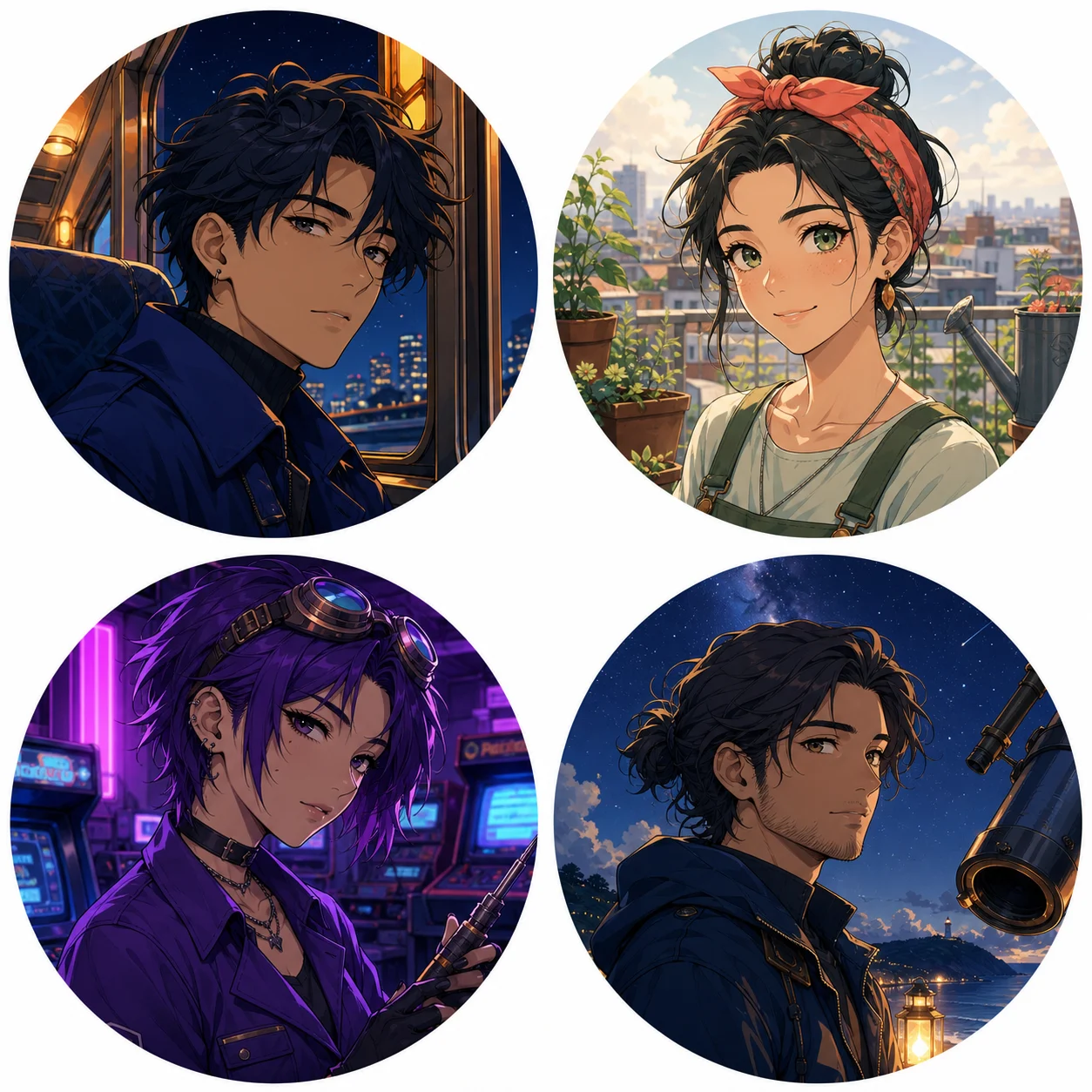
Generate an anime avatarRepresentative crop studies show how a compact face, one prop, and a distinct light-and-color relationship remain readable in a circle. The live tool returns one square image per generation, not a four-avatar batch.
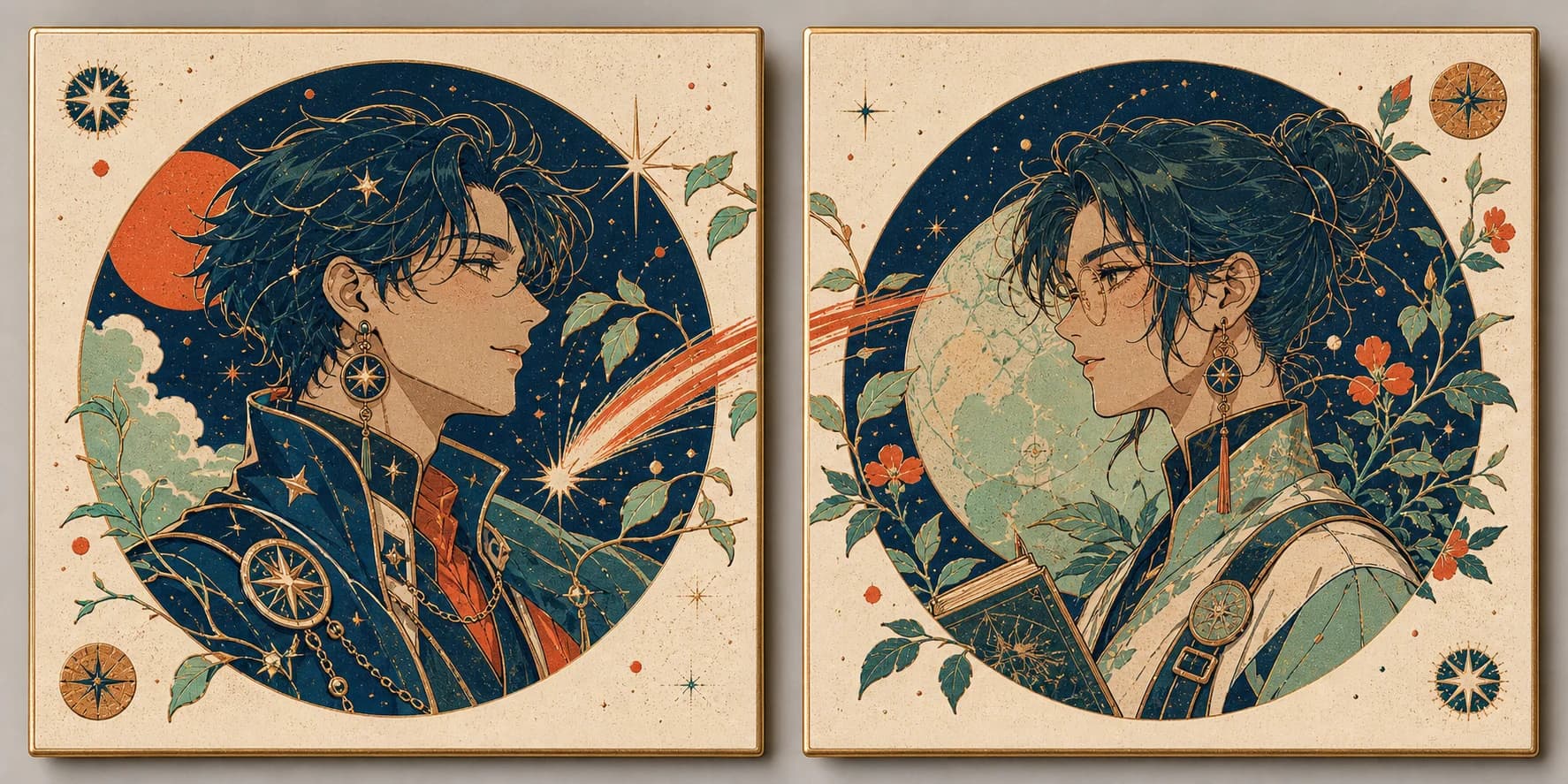
“Paired original anime avatar concept: celestial courier and botanical cartographer in separate square portrait cards, both looking inward, shared comet-and-vine motif crossing the center seam, limited navy, vermilion, cream, and mint palette, each portrait complete alone, no text.”
Why this survives the crop: The shared direction, palette, and crossing motif create a relationship. Each face still has its own silhouette and complete background, so either image remains usable when viewed alone.
Do not imply a real identity when none is supplied. This page does not accept a selfie and cannot compare a result with your face. If the account represents a real person, frame the output as an original illustrated persona rather than a verified likeness. If an actual photograph must guide the image, use a reference workflow you are authorized to use and disclose the transformation where context makes that important.
Most avatar uploads begin as square files, but interfaces frequently display them inside circles or rounded masks. Keep the eyes, face outline, hair silhouette, signature accessory, and emotional cue away from the corners. Ask for a head-and-shoulders or chest-up view and leave breathing room above the hair. A hand, weapon, pet, or elaborate hat that extends into a corner may be clipped even though it looks complete in the full generation.
Place the face deliberately. Centered framing feels direct and stable; a slight three-quarter angle can add energy while preserving both eyes; a profile creates a bold silhouette but sacrifices some expression. Matching avatars can look inward, yet each person still needs enough visual weight when the companion is absent. Avoid extreme camera angles unless the account’s character depends on them, because steep foreshortening becomes harder to read at small scale.
Review three versions of the chosen result: the full square, a circular mask, and a small thumbnail. The circle catches clipped hair and missing props. The thumbnail catches weak contrast, muddy eyes, or a background that merges with the head. Keep the original square as the master and export a destination-specific copy instead of repeatedly cropping and recompressing the only file.
An avatar is often seen before a username or biography. Choose an expression that supports the account: a small open smile for an inviting community host, focused neutral eyes for a craft portfolio, a guarded half-smile for a fictional courier, or a raised brow for a comic persona. Avoid stacking “cheerful, mysterious, serious, playful, shy, fierce” into one request. Competing moods often flatten into an attractive but vague face.
Gaze direction affects social meaning. Looking toward the viewer feels direct. Looking slightly off-frame can feel reflective or narrative. In a pair, inward gazes create a relationship, while outward gazes can make the two accounts feel independent. State whether both eyes must remain visible, whether glasses should leave the eyes readable, and whether the expression depends on eyebrows, mouth shape, or head tilt.
Inspect the expression after shrinking. Fine blush, subtle lip shape, and tiny highlights may vanish. The eyebrow angle, eye openness, mouth silhouette, and head direction must carry the mood. If the portrait only works when enlarged, simplify the request and strengthen the larger cues rather than asking for more facial detail.
Choose three or four main colors and assign them to objects: navy hair, cobalt coat, amber earring, cool blue background. Object-to-color mapping is easier to review than “vibrant cinematic palette.” Give the face enough value separation from the hair and background, and reserve the most saturated accent for the feature you want remembered. Too many equal accents create visual noise once the portrait becomes small.
Describe one key light and a restrained fill or rim. Warm window light from the left with cool night fill creates a clear face turn. Soft overcast light produces a quieter, flatter identity. A narrow rim can rescue dark hair from a dark background, but several neon colors can obscure the facial planes. Review the image in grayscale to see whether the silhouette and eyes remain distinct without hue doing all the work.
Remember that the surrounding product interface can be light, dark, tinted, or user-customized. A pale circular halo or a dark outer ring may look useful in one app and disappear in another. Test the export against both a near-white and near-black background. Keep an editor-ready master so you can adjust the outer field without regenerating the face.
One environmental cue is usually enough: a train window with distant lights, a blurred ceramics shelf, an observatory sky, or a greenhouse railing. It tells viewers what kind of person or character they are seeing without turning the icon into a miniature poster. Reduce detail and contrast behind the head, especially around hair spikes, glasses, earrings, and dark clothing edges.
Avoid exact lettering, usernames, guild tags, signs, and logos inside the generation. Image models can produce malformed symbols, and a username may change. Add verified typography in a design tool only if the destination supports it at a readable size. A profile image normally works better without baked-in text because circular crops and localization can remove or distort it.
Treat accessories as identity anchors, not inventory. A compass earring, teal hair clip, copper lightning pin, or cobalt pencil can be remembered. Five necklaces, a detailed weapon, multiple animals, and a complex skyline compete for a few hundred pixels. If the accessory matters, specify its shape, material, color, and position, then remove less important decoration.
A convincing matching set shares a visual grammar: palette, line weight, light direction, crop scale, background value, and one relationship cue. The characters might look toward each other, carry complementary objects, split a comet trail, or repeat a flower and star motif. The connection should be visible when the images sit side by side, but neither half should look broken in a comment thread where the other account is absent.
Plan the pair as a single wide composition first. Mark two independent circular safe areas and make sure each face, expression, and signature prop fits within its own zone. Put the connecting element near the seam but give it a natural ending on both sides. Then create or crop individual square masters and compare their face scale, horizon, background brightness, and outer margins.
Generation does not guarantee that two independently requested faces will share exactly the same finish. A combined concept can establish direction, but final paired files may need manual cropping, repainting, color matching, and edge repair. Save the shared palette and anchor notes so a future seasonal variation changes one controlled element rather than redesigning both identities.
Review in order. First check anatomy and facial coherence: eyes, ears, hairline, jaw, neck, shoulders, and any visible hands. Then check the brief: role, expression, silhouette, palette, accessory, gaze, and light. Next apply the circle and thumbnail tests. Only after these pass should you spend time cleaning background detail or adding decorative treatment.
When a result misses, identify the largest mismatch. If the face is too small, change framing. If the expression is vague, remove mood conflicts and name the eyebrow and mouth cue. If dark hair vanishes, simplify the background and add a restrained rim. If the accessory changes, describe its form and position more concretely. Change one group of instructions at a time so you can learn which revision mattered.
A generated portrait can contain accidental pseudo-text, extra jewelry, asymmetrical glasses, inconsistent earrings, or tangled clothing edges. Remove these in an editor. Do not present a first output as finished merely because the overall color is attractive. The avatar will repeat across comments, notifications, and account pages, so a small error can become the most visible part of the identity.
The live generator returns one 1024×1024 flattened image. Keep that full square as a source artifact together with the prompt and generation date. Make a separate working copy for cleanup, color adjustment, masking, or added graphic elements. Export another copy for the actual account. This simple chain prevents a small platform crop from becoming the only surviving version.
Every service applies its own display mask, compression, file-size rule, and minimum or recommended dimensions, and those requirements can change. Check the current upload screen or official help for the destination instead of trusting an old universal chart. Preview the image in a member list, comment, chat, profile header, and high-density screen when those contexts matter. Do not upscale a weak crop and assume extra pixels will restore missing facial information.
If transparency is needed, create a real mask in an editor and inspect hair, glasses, earrings, and semi-transparent edges against light and dark backgrounds. This page does not return an alpha channel. If a vector mark is required for a brand system, build one as vector artwork rather than tracing a detailed raster portrait and calling it a logo.
Some products treat profile images as decorative because the adjacent username identifies the account. Other contexts use the image to communicate a character, status, or role. Follow the destination’s accessibility pattern and provide concise alt text when a meaningful description is supported. Describe the useful content—“original anime portrait of a night-train cartographer with a brass compass earring”—rather than listing every color or beginning with “image of.”
Do not use appearance as the only way to signal an account’s authority, safety status, or availability. Pair important information with visible text or platform controls. Avoid stereotypes when selecting clothing, facial features, disability aids, religious items, or cultural motifs. If an identity is outside your own experience, review the design with someone who understands the context instead of relying on visual shorthand.
W3C’s image tutorials distinguish informative and decorative images and emphasize that text alternatives depend on purpose and context. Apply that decision at the point of publication, not during generation. The same avatar can be decorative beside a clearly labeled account and informative in a character directory, so one universal alt string is not always correct.
Describe original subjects through visual features and story roles. Do not request a protected franchise character, a brand mascot, a celebrity likeness, or the signature style of a named living artist. Removing a logo from the prompt does not make a copied costume or character design original. Review accidental resemblance before using the avatar in a commercial, political, financial, medical, or other consequential context.
Save the prompt, selected result, rejected variants that informed a decision, cleanup layers, crop settings, palette, destination, and publication date. If a client, employer, or community owns the account, record who approved the image and what rights or provider terms were reviewed. This is practical production documentation, not a guarantee of copyright status.
The U.S. Copyright Office’s AI initiative explains that copyright questions around AI-assisted works depend on human authorship and specific facts; other jurisdictions and contracts can differ. Human selection and editing can be important parts of a workflow, but this page cannot determine ownership or clearance. Obtain qualified advice when the avatar will function as valuable brand identity or be used in a high-stakes release.
W3C Web Accessibility Initiative — Images Tutorial and decision tree: W3C guidance and W3C guidance. These resources explain how an image’s purpose determines whether it needs a text alternative and what that alternative should convey. Apply the guidance in the destination context because the generator itself does not control account markup.
U.S. Copyright Office — Copyright and Artificial Intelligence: U.S. Copyright Office. This is a primary reference for the Office’s reports and guidance on AI-related copyright questions in the United States. It does not provide a worldwide commercial-use license for generated avatars. Provider terms, contracts, platform policy, source rights, and local law still require separate review.
Do not ask the image to carry a username, guild tag, company mark, or exact lettering. Add verified text and logos later in a design tool if you have the right to use them.
Image generation requires sign-in, available credits or qualifying access, and a configured provider. The page surfaces failures and does not promise that every request will complete or match every instruction.
Use an original description rather than a protected character or named living artist. Review provider terms, employer or client policy, community rules, and local law before commercial or consequential use.
It can create a paired visual concept, but one generation still returns a single square image. For separate files, design both halves together for shared direction, then generate or crop each member carefully and review the seam and individual compositions.
No exact identity lock is provided. Reusing a compact anchor list can improve similarity, but facial structure, hair, costume details, and accessories can change between requests.
No. It returns a flattened square raster image. Request a simple background for easier editing, then create and inspect a real mask in an image editor if transparency is required.
Small previews expose whether the eyes, silhouette, expression, and signature accent still read after detail disappears. The exact display size varies by product, so test both a small icon and the destination’s real crop.
Give both characters a shared palette, lighting logic, gaze relationship, and one connecting motif. Keep each face and important detail complete within its own crop so the pair still works when accounts appear separately.
Commercial suitability depends on the provider terms, your prompt and source material, client or employer policy, and applicable law. Use original subjects, avoid protected brands and characters, keep a record of human edits, and seek qualified advice for high-stakes releases.
Read the in-page error first. Sign-in, credit balance, provider configuration, safety rejection, timeout, and temporary service failure require different responses. Shorten conflicting instructions only when the service actually accepted the task but the visual result was weak.