Anime Maker logoAnime Maker
  • AI Anime Generator
  • Features
  • Pricing
Anime Maker logoAnime Maker

Create cinematic anime clips from prompts, images, and storyboards.

Email
Product
  • Features
  • Pricing
  • FAQ
  • AI Anime Generator
  • Photo to Anime AI
  • Image to Video Anime AI
  • Anime Character Generator
  • Anime Logo Maker
Resources
  • Creator Guide
Company
  • About
  • Contact
Legal
  • Cookie Policy
  • Privacy Policy
  • Terms of Service
© 2026 Anime Maker All Rights Reserved.

Photo to Anime AI Prompt Guide

Photo to anime AI

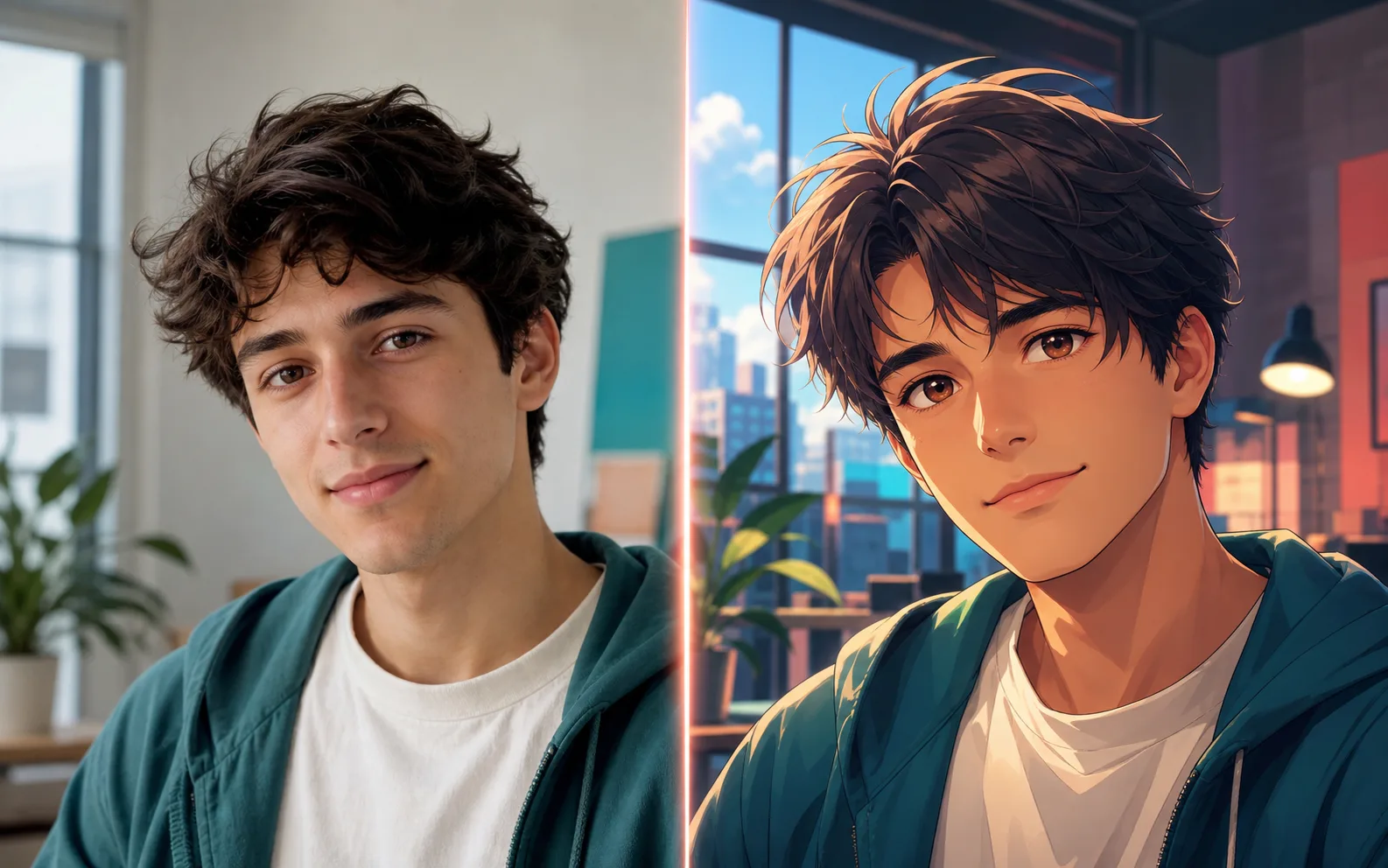
Plan a photo-to-anime prompt that preserves the subject, pose, outfit, and mood. Direct still-photo conversion is not available in the current image studio.

Photo to Anime AI Prompt Guide

Plan a photo-to-anime prompt that preserves the subject, pose, outfit, and mood. Direct still-photo conversion is not available in the current image studio.

Upload reference image
Enter your prompt here
How it works
What you can create
Select a model
gpt-image-2
PNG

What you can create

Anime outputs built around a focused brief.

Free mode

Advanced Nano Banana

Generated by web2api

Reference plan

Identify the subject, pose, outfit, and setting

Prompt ready

Translate recognizable details into a focused prompt

Current scope

Generate prompt-led images; direct conversion is coming later

Use cases

Translate the useful details into a prompt

The current Anime Maker image studio generates from text prompts; it does not yet upload and convert a still photo. Use this guide to identify the face, pose, outfit, colors, setting, and mood you want to carry into a prompt-led anime interpretation.

Describe a portrait clearly

Note the face shape, hair, expression, camera angle, clothing, and background before writing the generation prompt.

Turn clothing and pose into art direction

Describe the pose and outfit without claiming the generated result will preserve a real person exactly.

Rebuild the scene mood

Translate the location, lighting, weather, palette, and framing into a cinematic anime scene prompt.

Prepare for a future conversion workflow

Save the source details and desired finish so they are ready when direct reference-image conversion becomes available.

Workflow

A simple way to get better results

STEP 1

Study the reference

List the visible traits, pose, setting, and mood that make the source useful.

STEP 2

Write a focused text prompt

Describe the subject and finish in plain language, without assuming identity preservation.

STEP 3

Generate and refine

Open the image studio, compare the first result, and revise the prompt around the largest visual gap.

Compare

Photo to anime options

Portrait

Selfies and profile images

Use simple backgrounds and strong facial detail.

Image to anime converter

Pictures, portraits, pets, products, and scenes

Choose this when the source is any image rather than only a camera photo.

Scene

Rooms, cities, products, and travel shots

Describe the mood and lighting you want to add.

Character reference

Poses, outfits, and identity design

Write which details must remain consistent.

FAQ

Questions about photo to anime ai

How does photo to anime AI work?

Anime Maker currently provides a prompt-planning workflow for this use case. The image studio generates from text and does not yet upload and convert a still photo directly.

Can I make an anime avatar from a photo?

You can describe the portrait and generate an original anime avatar from text, but the current studio does not guarantee that it will preserve the identity in a source photo.

What photos work best?

Clear images make it easier for you to identify the traits worth describing: face, hair, pose, clothing, lighting, and setting. The photo itself is not uploaded to the current image studio.

Can I use this as an image to anime converter today?

Not yet. The current image studio is prompt-led. This page helps you prepare the prompt and visual direction without presenting a direct converter that is not available.

How do I turn a picture into anime?

For now, study the picture and translate its visible details into a text prompt, then generate an original interpretation. Direct picture-to-anime conversion is a separate capability that is not currently available.

Keep building your anime workflow

Anime Character GeneratorAI Manga GeneratorAI Comic GeneratorImage to Video Anime AIAI Anime GeneratorAnime Logo Maker

Ready to try photo to anime ai?

Create an anime image