Anime Maker logoAnime Maker
  • Home
  • AI Anime Generator
  • Features
  • Cases
  • Pricing
  • Blog
Anime Maker logoAnime Maker

Create anime images, original characters, photo-based illustrations, and short videos from focused prompts.

Email
Product
  • Features
  • Pricing
  • FAQ
  • AI Anime Generator
  • Photo to Anime AI
  • Image to Video Anime AI
  • Anime Character Generator
  • Anime Logo Maker
Company
  • About
  • Contact
Legal
  • Cookie Policy
  • Privacy Policy
  • Terms of Service
© 2026 Anime Maker All Rights Reserved.

Comic book cover creator

Comic Book Cover Creator for Original Issue Art

Generate one original 1024 × 1024 cover-art concept with a clear focal idea and deliberate room for final typography. The result is source art, not a lettered print file.

Generate the cover art before typesetting the issue

The starter prompt asks for one original visual hook, a readable silhouette, and clean negative space. Replace the character and conflict, but keep exact title, issue number, price, credits, and publisher information out of the generated artwork.

How it works
Example outputs
One image
1024 × 1024
Raster concept

Example outputs

What one focused input can produce

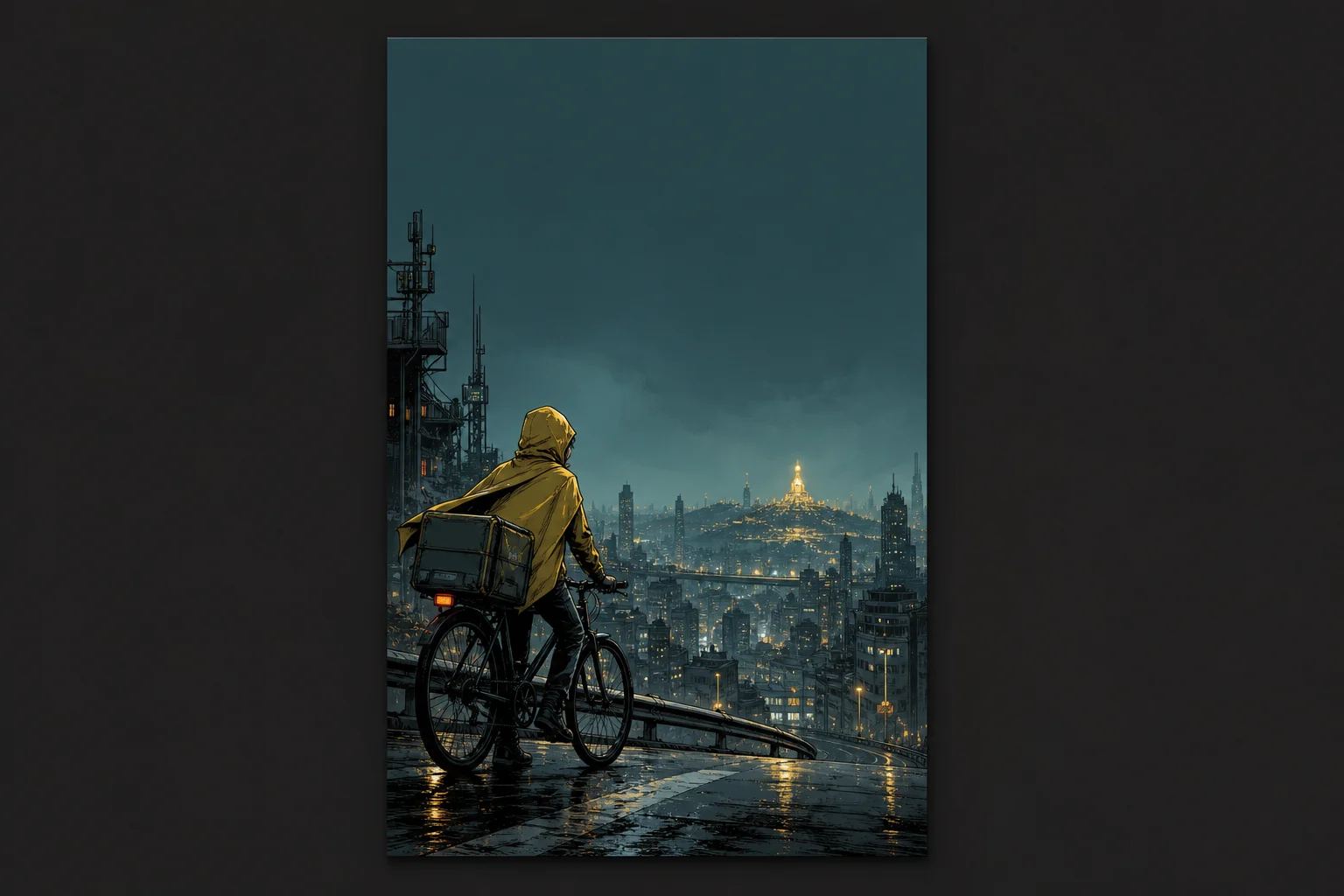
Original comic cover concept showing a yellow-caped bicycle courier overlooking a teal night city with a large blank title area

Standard image

Advanced image

Output

one 1024 × 1024 raster concept that supplies cover art rather than a layered print document

Best for

independent issue concepts, pitch decks, web-comic announcements, anthology directions, campaign thumbnails, and early cover approvals

Not designed for

reliable generated titles, editable typography, automatic spine and back-cover layout, press-ready color separation, or trademark clearance

Content reviewed July 20, 2026

Production guidance is checked against the current generator output. Final trim, bleed, spine, color, and export requirements must follow your printer or publishing platform.

Make the cover promise one clear story

A strong cover does not summarize every page. It selects the character, threat, object, or relationship that earns attention at thumbnail size and leaves the production information room to work.

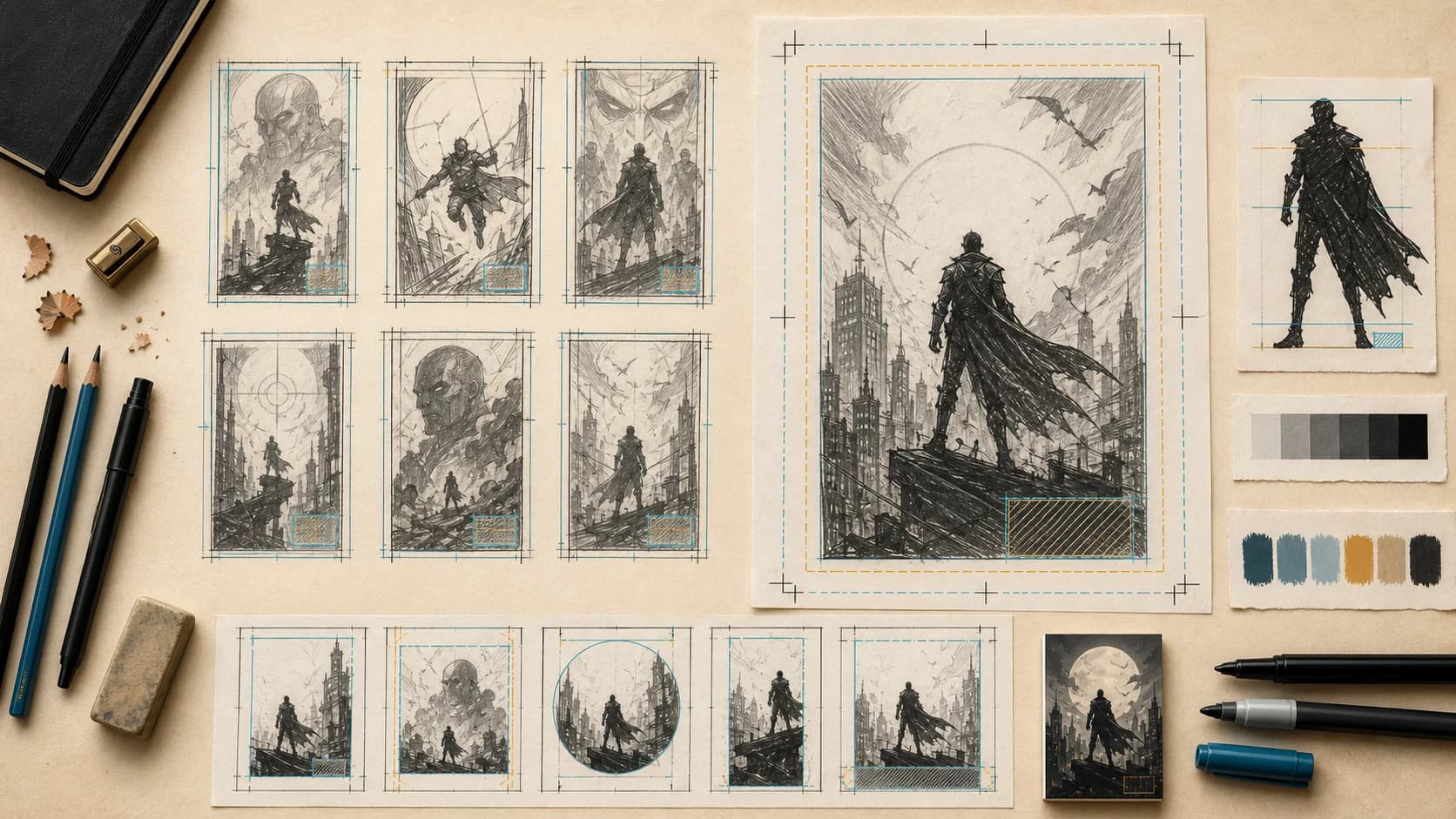
Top-down comic cover planning desk with thumbnail sketches, trim and bleed guides, silhouette study, value tests, and color swatches

01

Write the cover promise in one sentence

Name the protagonist, the visible source of tension, and the question the image should raise. If the sentence needs several locations or a complete synopsis, the cover direction is probably carrying too many story jobs.

02

Reserve type space as part of the composition

State where the series title, issue information, and credits will be added, then ask for calm negative space in those areas. Do not depend on AI-generated words as final lettering.

03

Approve the smallest version first

Reduce the concept to store-thumbnail size. The focal silhouette, value contrast, and dominant color should still separate before you judge texture, rendering, or minor background detail.

A five-part path for an original comic book cover illustration

01

Define the issue promise

Choose the character, conflict, relationship, or object that best represents this issue without revealing every beat.

02

Map the production zones

Reserve the top, bottom, or side areas needed for the title, issue data, credits, price, barcode, trim, and bleed.

03

Generate unlettered art

Create the strongest visual hierarchy without asking the image model to spell the final cover copy.

04

Rebuild the cover layout

Place the chosen art in a layout application and add licensed typography, accurate metadata, and printer specifications.

05

Preflight every edition

Check thumbnail crops, spine and back-cover needs, color space, resolution, accessibility, rights, and exported files.

Prompt examples for comic book cover creator

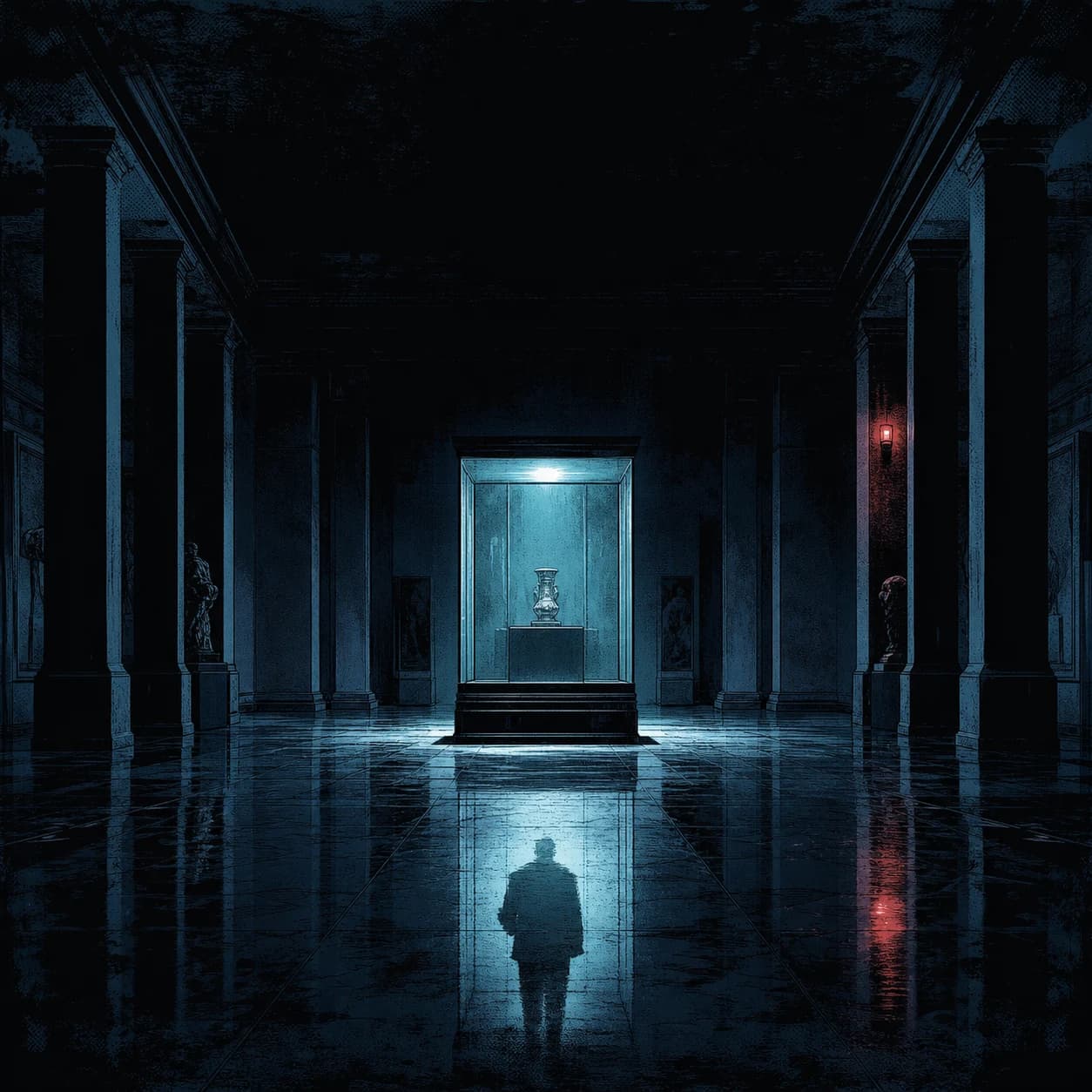
Unlettered noir comic cover concept with a glowing museum display case and a reflected figure on the floor
Generated from the prompt below. The case remains readable at thumbnail size, while the dark upper field stays available for real lettering.

A single-object mystery

“Original mystery-comic cover: an empty museum hall at night with one glass case glowing, while the hero appears only as a reflection in the floor. High-value focal case, deep blue environment, title-safe darkness above, no written text.”

Why it works: The glowing case creates a question without showing the entire plot, and the quiet upper field can accept a real series logo later.

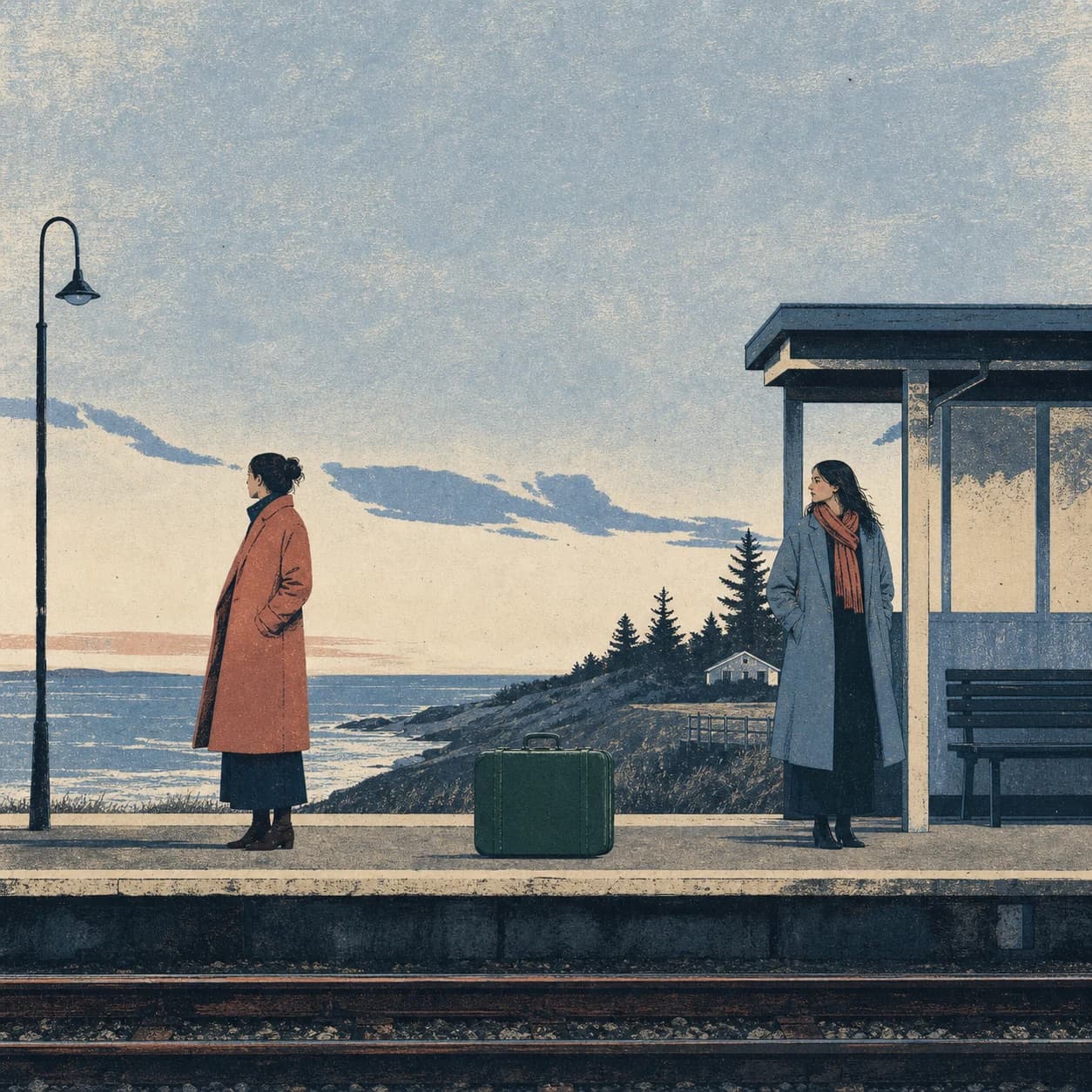
Unlettered risograph-style graphic novel cover with two sisters separated on a coastal train platform and a green suitcase between them
A second real output uses flatter color, paper grain, and quieter staging so the example set demonstrates a distinct visual direction.

A relationship under pressure

Move from generated concept to release-ready cover

Use the sections below as a production checklist for hierarchy, typography, print setup, variant control, accessibility, rights review, and final preflight.

Turn the issue into one visible promise

Write the cover idea as one sentence: name the lead subject, the visible tension, and the question the image should raise. “A courier sees the only lit tower across a sleeping city” supplies a protagonist, destination, and emotional direction. A full plot summary does not. Let the image imply a larger story, but give the reader one immediate idea before asking them to study the details.

Separate story facts from art direction. Story facts cover who appears, what object matters, where the moment happens, and which relationship or threat drives the issue. Art direction covers camera height, subject scale, silhouette, value pattern, palette, atmosphere, and title position. If the concept misrepresents the issue, correct the facts. If the promise is accurate but visually weak, revise hierarchy instead of rewriting the synopsis.

Decide where the cover will appear before generating. A subscription thumbnail, print front cover, convention ashcan, collected volume, and variant edition need different crops and information. Record the smallest display size, trim orientation, likely title position, issue details, and any barcode area. These notes guide negative space and later adaptation; they do not turn the square output into a measured production file.

Review the illustration before building the final cover file

The output is not a print template

The generator returns one square raster image. It does not create editable front, spine, back, flap, trim, bleed, or dieline documents.

Generated lettering is unreliable

Titles, issue numbers, creator names, prices, and small cover lines can be misspelled or malformed and must be typeset separately.

Square art is not a standard issue size

The concept will need a planned crop, extension, redraw, or new generation to fit the final printer or platform dimensions.

Print color requires a real prepress check

The page does not guarantee CMYK conversion, ink limits, proof accuracy, embedded profiles, trapping, or printer acceptance.

Questions about comic book cover creator

Does the comic book cover creator make a complete print file?

No. It produces one 1024 × 1024 raster art concept. Build the final cover at the exact printer or platform dimensions in a layout application.

Can it spell my comic title correctly?

Generated image text is not dependable enough for publication. Ask for an empty title-safe area, then use a licensed font or custom lettering for the exact title.

What should a comic cover prompt include?

Include one original protagonist or subject, one visible conflict or focal object, the setting, camera direction, value hierarchy, limited palette, intended title zone, and a request for no written text.

How is this different from the anime movie poster generator?

Take the next production step

Anime Movie Poster GeneratorAI Comic GeneratorAnime Character Generator

Start with one image readers can recognize in a thumbnail

Describe an original character, one visible conflict, a controlled palette, and the empty areas required for real cover typography.

Create a comic cover concept

The courier, road, and distant beacon form one visual question. The quiet upper field is intentional production space, not missing detail.

“Original graphic-novel cover: two estranged adult sisters wait at opposite ends of an almost empty coastal train platform at blue hour, with one shared green suitcase between them. Limited-color risograph texture, broad quiet sky for the title, no written text.”

Why it works: The suitcase connects the two figures without resolving their relationship, and the restrained palette keeps the emotional distance legible without turning the scene into melodrama.

A world-building reveal

“Original science-fiction comic cover: a small fishing boat crosses a calm black lake while an upside-down city glows beneath the surface. Minimal horizon, one red cabin light, large quiet sky for title treatment, no letters or logos.”

Why it works: The inversion is legible in one glance and leaves enough calm value area for typography instead of forcing type over detail.

Design the small version before polishing the large one

Reduce each concept to the size it will occupy in a store grid. The dominant silhouette, face or focal object, and title field should remain clear at about 120 pixels wide. Fine texture can enrich the full image, but it cannot rescue a missing focal idea. Blur or squint at the thumbnail; the main dark, light, and accent shapes should still reveal the reading order.

Limit the number of attention peaks. One subject can dominate while a smaller prop, reflected figure, or distant destination creates the second read. If every face, light, building, and effect uses equal contrast, the viewer has no entry point. Check the image in grayscale as well as color so important forms do not depend on hue alone.

Treat the edges as production territory. Keep faces, hands, and story-critical objects away from uncertain trim and crop zones; let atmosphere or nonessential scenery extend into bleed. Reserve a calm title region without pasting an empty rectangle over the art. Tone, clouds, paper texture, or a simple light field can create useful negative space while remaining part of the composition.

Treat the illustration and title as separate production systems

Generate unlettered art when exact language matters. Series names, issue numbers, prices, credits, dates, and legal lines need dependable spelling and repeatable placement. Build them in a layout or vector application with custom lettering or an appropriately licensed font. Keep the source editable so corrections, translations, and new editions do not require repainting the illustration.

Create a small series system rather than solving every issue from scratch. Define the title mark, issue-number position, creator line, publisher mark, barcode area, color logic, and clear space. Test those elements over bright, dark, detailed, and minimal artwork. If one title treatment cannot survive every background, prepare approved light, dark, outlined, or contained versions.

Use real cover copy before approving the crop. Test the longest creator names, actual issue notation, subtitle, translation, price, and required legal lines. Placeholder text hides the space a final title needs. For multilingual editions, have a fluent reader review line breaks, punctuation, capitalization, transliteration, and meaning rather than forcing every language into the English layout.

How to turn square AI art into a measured comic cover layout

Get the current specification from the printer, distributor, or publishing platform before building the production file. Record trim, bleed, safe area, page count, binding, spine calculation, preferred resolution, accepted formats, color profile, and barcode placement. Do not borrow dimensions from an unrelated template. Stock, binding, region, and edition can change the required cover even when the market name looks the same.

Place the generated square as source art, not as a final crop. Choose whether to crop, extend, repaint, regenerate, or rebuild the composition around the approved idea. Protect the focal silhouette and title space first, then adapt peripheral scenery to the actual canvas. Do not stretch the image merely to fill a tall or wide template.

For a wraparound cover, wait until page count and paper stock are settled before fixing the spine. Keep live title and publisher elements within the latest guides, and avoid placing faces or essential objects across folds unless the distortion is intentional. The back cover also needs usable space for synopsis, credits, price, barcode, and legal information.

Comic book cover resolution, color, and editable lettering

Keep the richest editable master, then convert or export according to the vendor’s current instructions instead of assuming one universal CMYK profile. Inspect saturated colors, deep shadows, gradients, and small colored type after conversion. If the project warrants a proof, use the proof type the vendor recommends and review it under suitable light rather than relying only on an uncalibrated screen.

Judge resolution at final placed size. Enlarging a 1024 × 1024 concept for a tall print cover can reveal soft edges, malformed anatomy, repetition, and painted texture that looked convincing on screen. Repaint or produce higher-resolution source art where necessary. Check faces, hands, fabric edges, reflections, architecture, and the areas that will sit behind fine lettering.

Keep background art, corrections, title, issue data, credits, barcode, publisher marks, legal lines, guides, and notes on clearly named layers. Keep guides nonprinting and retain an editable master until delivery. Store font licenses, lettering sources, image permissions, contracts, and generation notes with the project so collaborators can see what is original, generated, commissioned, licensed, or still awaiting clearance.

Comic cover preflight, rights checks, and edition exports

Review originality beyond the prompt. An unnamed costume, emblem, silhouette, palette, or title treatment can still resemble an existing property. Compare the selected concept with relevant covers, search the proposed series name and logo, and remove accidental publisher marks. Separately verify the exact title, issue notation, creator roles, price, date, barcode data, publisher identity, and legal copy against the release record.

Prepare previews for each destination. Retailer thumbnails can crop edges or add badges; social cards change shape; light and dark interfaces affect contrast. Inspect the real placement, keep the title readable, and make sure overlays do not hide issue data. Add concise alt text describing the central subject, action, and mood. Every edition can come from one approved master, but each needs its own crop and final check.

Run preflight on the exact delivery file using the current vendor specification. Check page size, bleed, safe area, placed-image resolution, color space, profiles, transparency, font handling, black construction, spot colors, overprint, and file naming. Open the export in a separate viewer, then archive the editable master, linked art, type sources, template, final files, rights notes, prompt, approval proof, and change log. Record what was submitted and create a new version for later corrections.

Originality and rights still need review

Avoid protected heroes, publisher trade dress, named artists, unlicensed fonts, and confusingly similar series marks.

A comic issue cover must support series identity, issue information, creator credits, barcode or price areas, print trim, and possible spine or back-cover handoff. A movie poster is structured around campaign billing and film promotion.

Can I make a wraparound comic cover?

You can explore a panoramic art direction, but this page does not output a measured front-spine-back template. Obtain the printer dieline after the page count and stock are known, then adapt or extend the artwork manually.

What size should the final comic cover be?

Use the exact specification supplied by the printer, distributor, or publishing platform. Trim, bleed, spine width, resolution, color profile, and safe areas vary by format and production method.

Can I sell a comic using the generated concept?

Commercial use depends on your plan, the active generation provider, the originality of the prompt and references, font licenses, contracts, and applicable law. Review the final asset and seek qualified advice for material releases.