2026/07/26
కామిక్ ప్యానెల్ లేఅవుట్: రీడింగ్ ఫ్లో, పేసింగ్ గైడ్
ప్యానెల్ క్రమం, పరిమాణం, gutter, dialogue, focusను ప్లాన్ చేసి print, mobile, vertical scrollలో పరీక్షించండి.
మంచి కామిక్ ప్యానెల్ లేఅవుట్ మొదలు ఎక్కడో వెంటనే చూపి, చూపును సరైన క్రమంలో నడిపి, ముఖ్యమైన మలుపుకు ఎక్కువ visual weight ఇస్తుంది. అలంకార templateతో మొదలు పెట్టవద్దు. ముందుగా sceneలో కనిపించే మార్పులను రాయండి; తరువాత reading direction, hierarchy, gutter, dialogue spaceను నిర్ణయించండి.
ఈ గైడ్ short comics, manga pages, storyboards, teaching sequences, social posts సృష్టించేవారికి. ఇది page architecture గురించి; anatomy లేదా rendering గురించి కాదు.
సంక్షిప్తంగా: ఒక cardకు ఒక మార్పు, ఒక pageకు ఒక ప్రధాన beat, సాధారణ gutters స్థిరంగా, ప్రతి exceptionకు కారణం. Script తెలియని reader thumbnail orderను తప్పుగా చదివితే layout ఇంకా సిద్ధం కాలేదు.
Layout ఏం నియంత్రిస్తుంది?
ఇది sequence, hierarchy, rhythm, orientationను నియంత్రిస్తుంది. పెద్ద panel తనంతట అదే dramatic కాదు; ముందున్న panels ప్రశ్నను సృష్టించి, పెద్ద panel జవాబు చూపాలి. ఒకే పని చేసే రెండు panelsను diagonal border సరిచేయదు.
ప్రతి కనిపించే మార్పుకు: ఏమి మారింది, reader ఏమి గమనించాలి, shot size, dialogue space, continuity state రాయండి. A అనేది turn లేదా emotional center; B setup మరియు reaction; C connector. చిన్న pageకు సాధారణంగా ఒక A చాలు. Storyను setup–turn–payoffగా కుదించడానికి comic strip workflow చూడండి.
సరైన grid ఎంపిక
| Grid | ఉపయోగం | సమస్య |
|---|---|---|
| మూడు equal panels | comparison, repetition | shots కూడా ఒకేలా ఉంటే flat |
| 2 × 2 | స్పష్టమైన నాలుగు steps | beats అన్నీ పోటీ పడతాయి |
| మూడు tiers | flexible page | tier junction గందరగోళం |
| చిన్న panels తరువాత wide | clues, reveal | answer ముందే కనిపిస్తుంది |
| vertical full-width | mobile reading | ఎక్కువ empty space |
Regular gridతో మొదలుపెట్టి story అడిగినప్పుడు మాత్రమే మార్చండి. Clip Studio Paint అధికారిక Frames and Panels manual division, frame folders, guttersను వివరిస్తుంది. MediBang guide size, position, spacingను editable decisionsగా చూస్తుంది. Reading test పూర్తయ్యే వరకు lock చేయవద్దు.
Reading order స్పష్టంగా చేయడం
Left-to-right edition పై ఎడమ నుంచి మొదలవుతుంది; right-to-left manga పై కుడి నుంచే design చేయాలి. Finished pageను mirror చేస్తే hands, movement, signs, balloons చెడవచ్చు. MediBang panel division and visual guidance lesson రెండు directionsను చూపుతుంది.
Art, text దాచిపెట్టి borders మాత్రమే ఉంచి మరొకరిని number చేయమని అడగండి. Order వేరైతే tier junction లేదా gutterను సులభం చేయండి. Gaze, movement, balloons ఇప్పటికే clear pathను బలపరచాలి.
Size, gutter, eye path
చిన్న panels తరువాత wide view openness ఇస్తుంది. Equal panels routine నిర్మిస్తాయి; narrow detail దాన్ని విరుస్తుంది; dense dialogue తరువాత silent reaction pause ఇస్తుంది. Size fixed time కాదు; content, text, neighboring contrast కలిసి పనిచేస్తాయి.
Gutter leftover canvas కాదు. Base width పెట్టి నిజమైన time/place jumpకు మాత్రమే పెంచండి. Faces, hands, contrast, isolated shapes దృష్టిని ఆకర్షిస్తాయి. ఒక focus ఎంచుకుని squint, silhouette, no-dialogue tests చేయండి.
Final artకు ముందు balloons
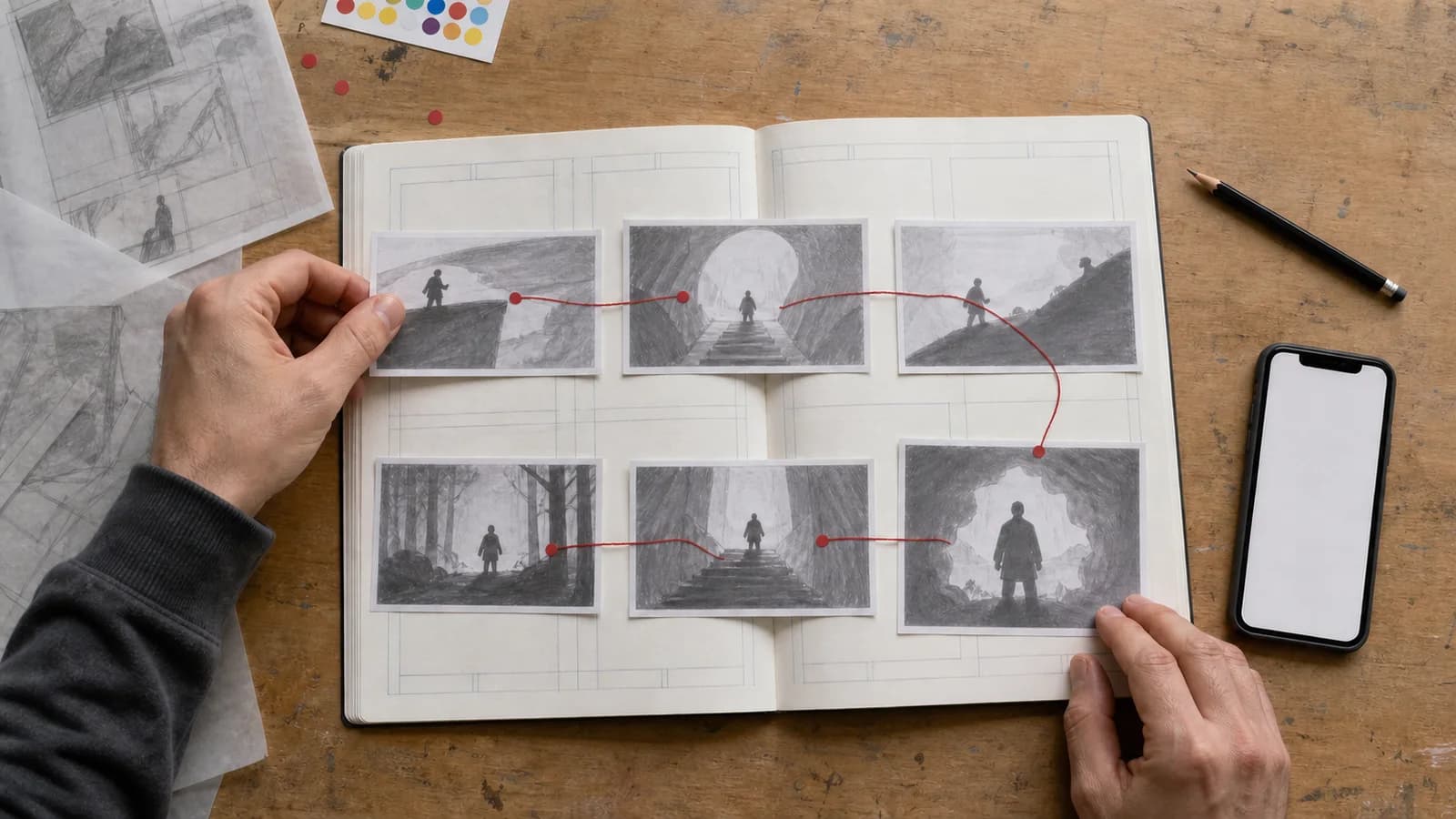
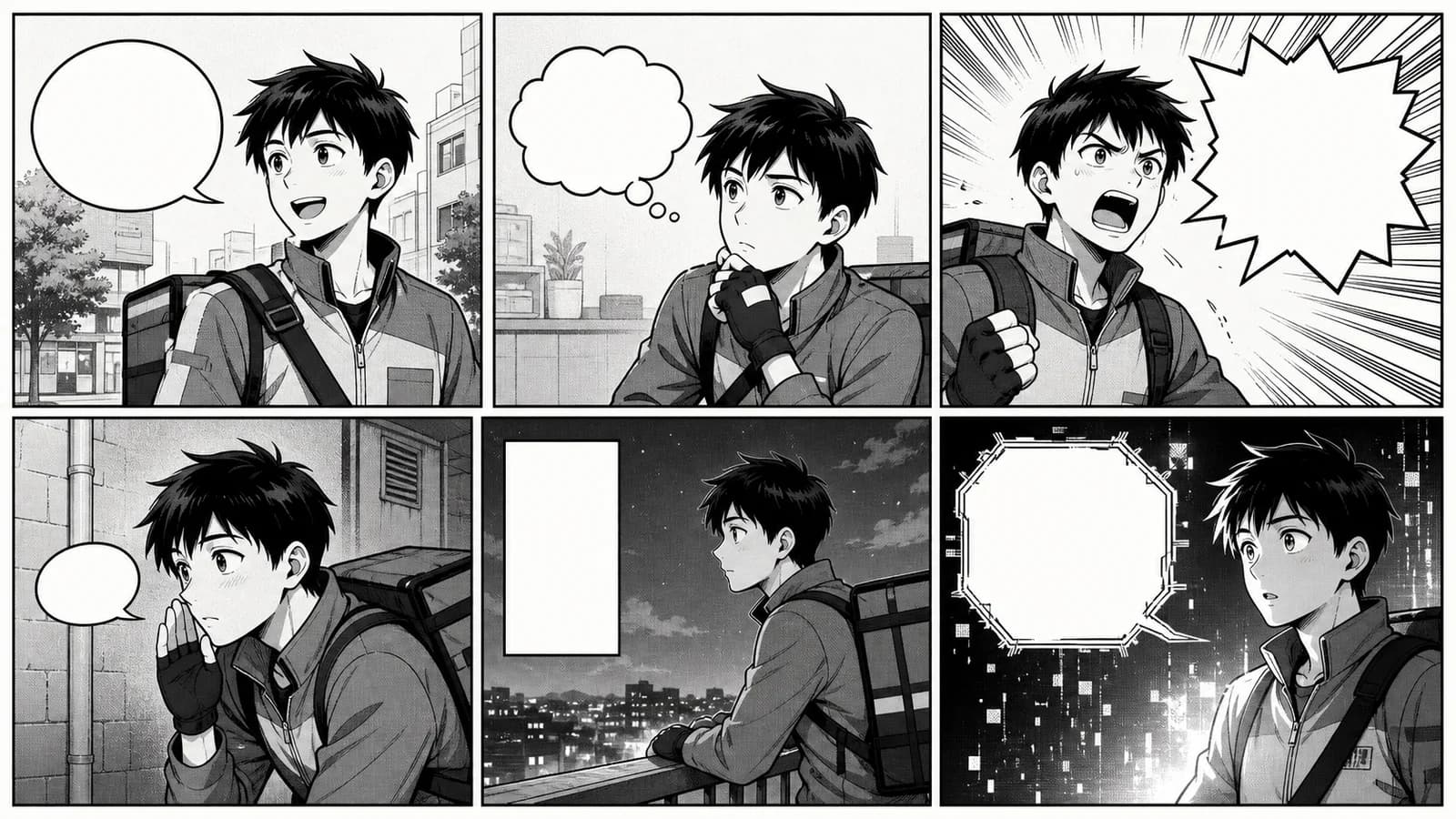
Thumbnailలో speaker, order, shortest line, కప్పకూడని face/clueతో rough balloons ఉంచండి. Localization కోసం text, balloons editableగా ఉండాలి. Manga speech bubble generator shapes పోల్చడానికి ఉపయోగపడుతుంది; final editable dialogue ఇవ్వదు.
Image generatorను final sentences రాయమని అడగవద్దు. Unlettered art సృష్టించి spelling, line breaks, translationను editorలో జోడించండి.
Anime Maker workflow
Comic Strip Maker 3–4 panels ఉన్న ఒక square raster image ఇస్తుంది. Staging draftకు ఉపయోగపడుతుంది; separate editable panels, persistent character model, reliable final text ఇవ్వదు. AI Comic Generator, AI Manga Generator visual directionకు సహాయపడతాయి; production page editorలో తయారవుతుంది.
Sceneను ఒక sentenceగా రాయండి; ప్రతి మార్పుకు card; ఒక A ఎంచుకోండి; మూడు thumbnails; balloons, value masses; text లేని draft; editorలో frames, continuity సరిచేయండి; నిజమైన sizeలో test చేయండి.
ఆరు-panel ఉదాహరణ
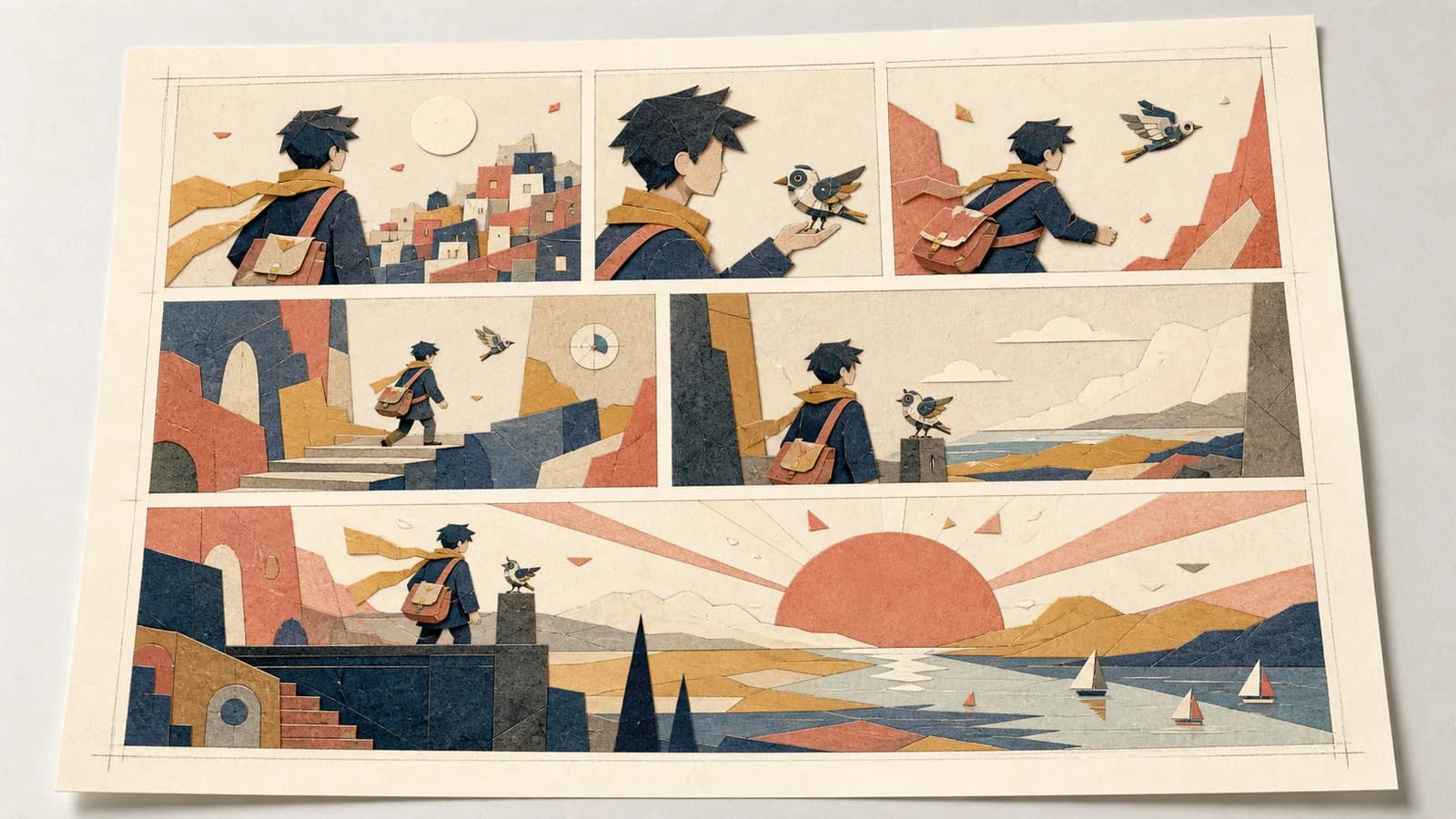
ఒక courier mechanical birdను abandoned observatory వరకు అనుసరించి అది weather beaconను repair చేస్తోందని తెలుసుకుంటాడు. Panel 1 chase ప్రారంభిస్తుంది; 2–3 climbను కుదిస్తాయి; 4 doorway వద్ద pause; అతిపెద్ద 5 reveal; 6 కళ్లలో light reaction. Cause reactionకు ముందు వస్తుంది.
Print, phone, scroll test
Printలో current printer specs ప్రకారం trim, bleed, safe area, binding, page turn చెక్ చేయండి. Mobileలో zoom లేకుండా faces, clues, text చదవాలి. Vertical comicలో distance time అవుతుంది: reveal ముందు ఎక్కువ space ఉపయోగకరం; వరుసగా పెద్ద gaps pace తగ్గిస్తాయి.
Web కోసం W3C Images Tutorial essential information చెప్పే text alternative సూచిస్తుంది. Dialogue comicకు visible transcript కూడా అవసరం కావచ్చు. WEBTOON CANVAS guidelines upload materialకు అవసరమైన rights కోరుతాయి.
Checklist
- ప్రతి panelకు వేరు పని.
- ఒక beat pageను dominate చేస్తుంది.
- Empty borders ఒక order చూపుతాయి.
- Normal gutters consistent.
- Focus, gaze, movement ముందుకు నడిపిస్తాయి.
- Balloons faces, hands, clues కప్పవు.
- Dialogue లేకున్నా scene అర్థమవుతుంది.
- Final mediumలో test చేశారు.
- Web versionలో alt లేదా transcript ఉంది.
తరచు ప్రశ్నలు
Beginnersకు ఏ grid మంచిది?
మూడు horizontal tiers లేదా 2 × 2. Order test సులభం; shot, acting, dialogueపై దృష్టి పెట్టవచ్చు. Turn లేదా pause నిజంగా వేరే weight కోరినప్పుడు మాత్రమే size మార్చండి.
Anime Maker editable page చేస్తుందా?
లేదు. ఇది raster concept ఇస్తుంది; frame folders, separate panels, persistent identity, final lettering ఇవ్వదు. Geometry, text, exportను editorలో పూర్తి చేయండి.
ముగింపు
మూడు పది నిమిషాల thumbnails చేయండి: regular, enlarged turn, final-medium version. Script తెలియని వ్యక్తికి చూపండి. Clear order, గుర్తుండే main moment ఉన్నదాన్ని అభివృద్ధి చేయండి.
మూలాలు
రచయిత

వర్గాలు
మరిన్ని పోస్టులు
ప్రొడక్షన్ గైడ్లు
అనిమే కెమెరా యాంగిల్స్: ప్రాక్టికల్ గైడ్
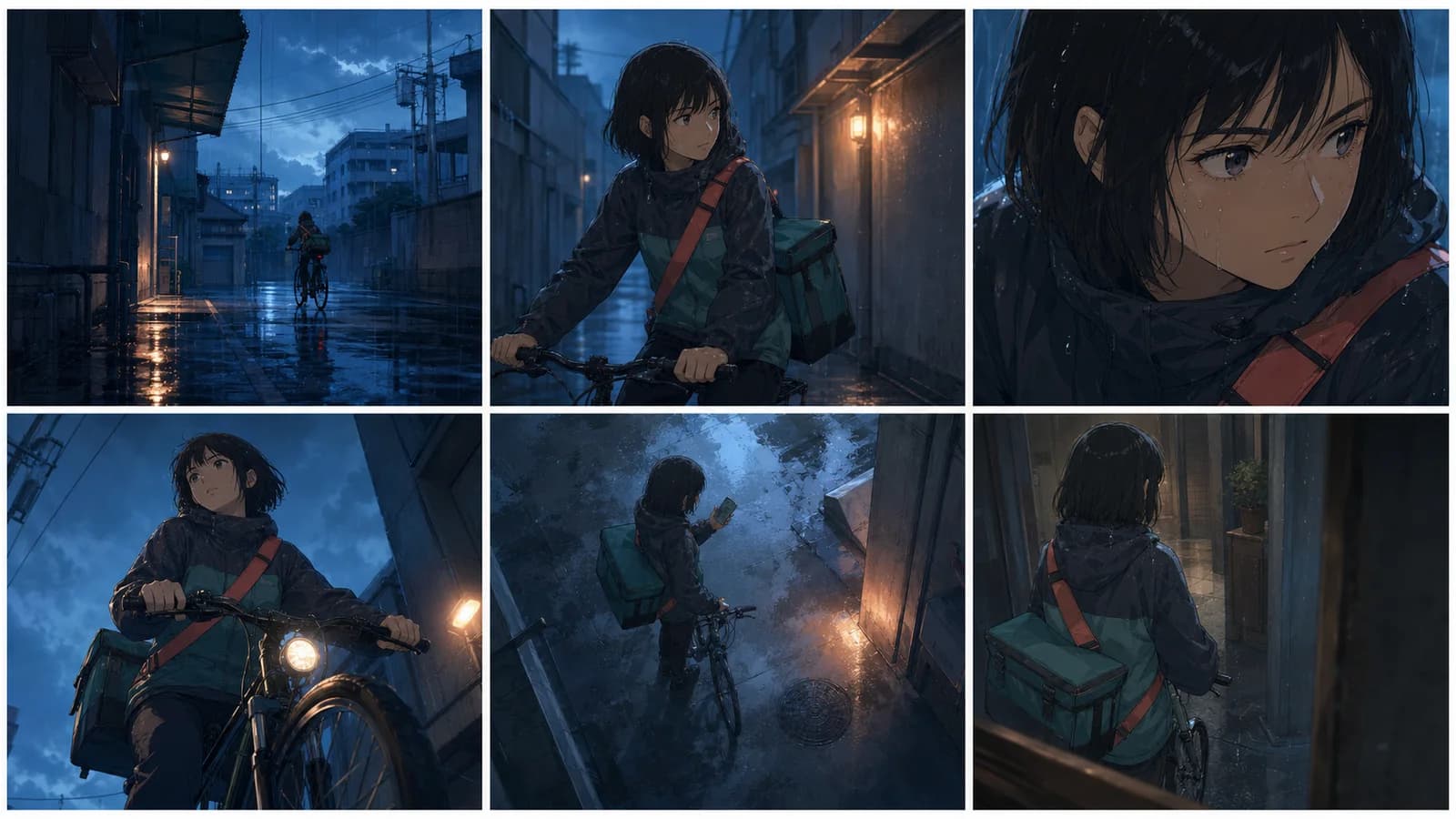
ఐదు షాట్ సీన్, పరీక్షించగల prompt, continuity checklistతో అనిమే కెమెరా యాంగిల్స్ మరియు shot sizesను ప్లాన్ చేయండి.
ప్రొడక్షన్ గైడ్లు
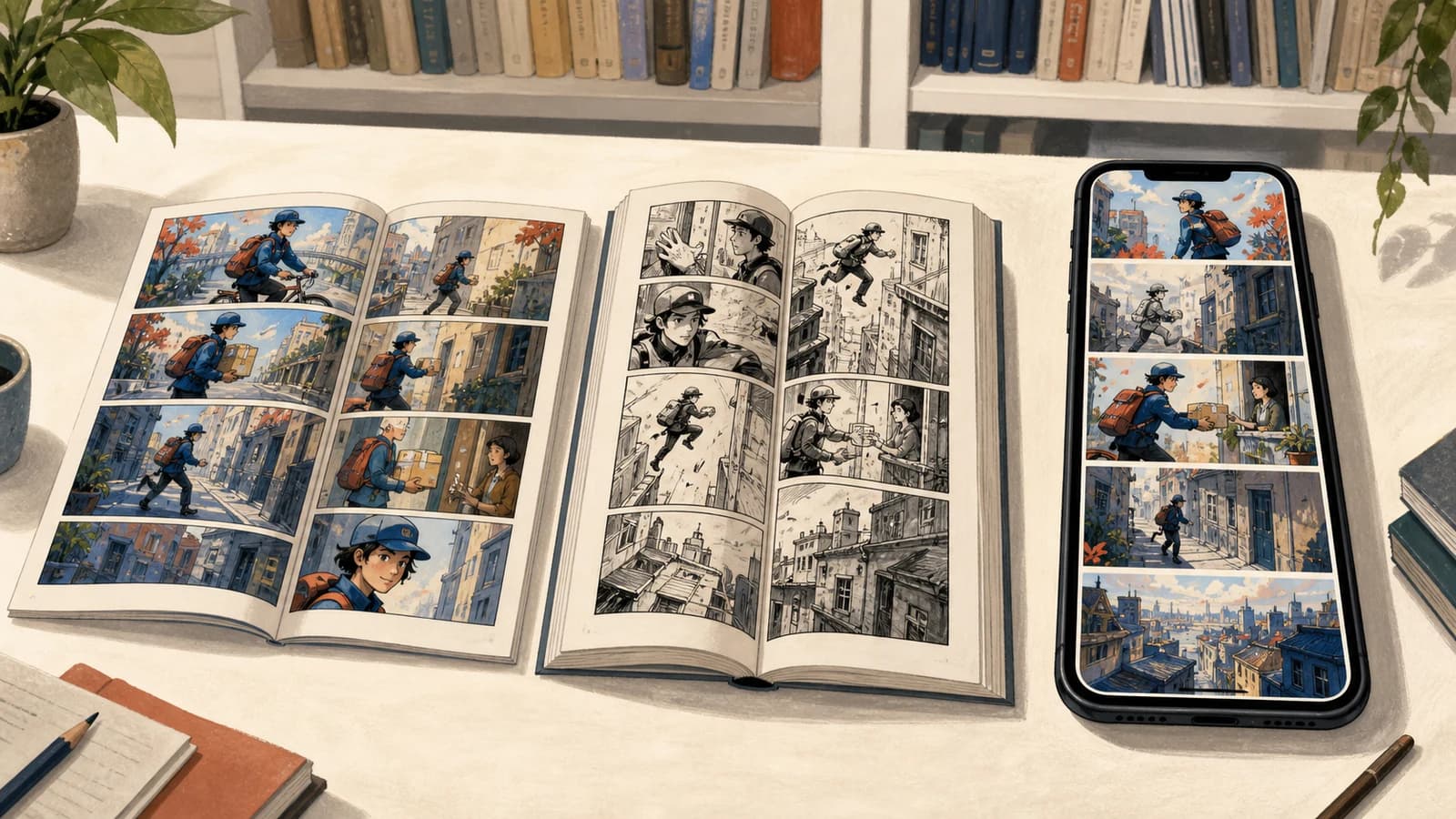
కామిక్, మాంగా, మన్హ్వా: ఆచరణాత్మక పోలిక
ప్రచురణ సంప్రదాయం, చదివే దిశ, రంగు, పేజీ లేదా స్క్రోల్, సీరియలైజేషన్ మరియు నిర్మాణం ఆధారంగా పోలిక.
ప్రొడక్షన్ గైడ్లు
మాంగా స్పీచ్ బబుల్స్ రకాలు: ప్రాక్టికల్ గైడ్
Dialogue, thought, whisper, shout, narration, special voice bubblesతో పాటు tail, reading order, lettering, translation నియమాలు తెలుసుకోండి.
వార్తాలేఖ
కమ్యూనిటీలో చేరండి
తాజా వార్తలు మరియు నవీకరణల కోసం మా వార్తాలేఖకు సభ్యత్వం పొందండి