
01
Choose a viable panel
Use an authorized image with one clear subject, coherent anatomy, useful depth, and room for the requested movement.
Comic to video AI
Upload one authorized comic panel, describe a small camera move and a limited subject action, then use the site’s real premium video workflow to generate a short flattened clip. The tool does not add audio, lip-sync, editable layers, motion paths, or guaranteed character consistency.
The live generator accepts a prompt and optional uploaded image, exposes aspect ratio, duration, and quality, preserves inputs across sign-in, reports progress and errors, and returns a downloadable video when the configured provider completes the task.
Duration: 6–30 · 480p/720p · Aspect ratio
Sign in to generate video
Paid plan · 1 credit per requested second
Your generated video appears here
6–30 sec
actual selectable output lengths in the live generator
480p · 720p
actual delivery settings exposed by the workflow
Premium access
required for video generation; credits and provider availability still apply
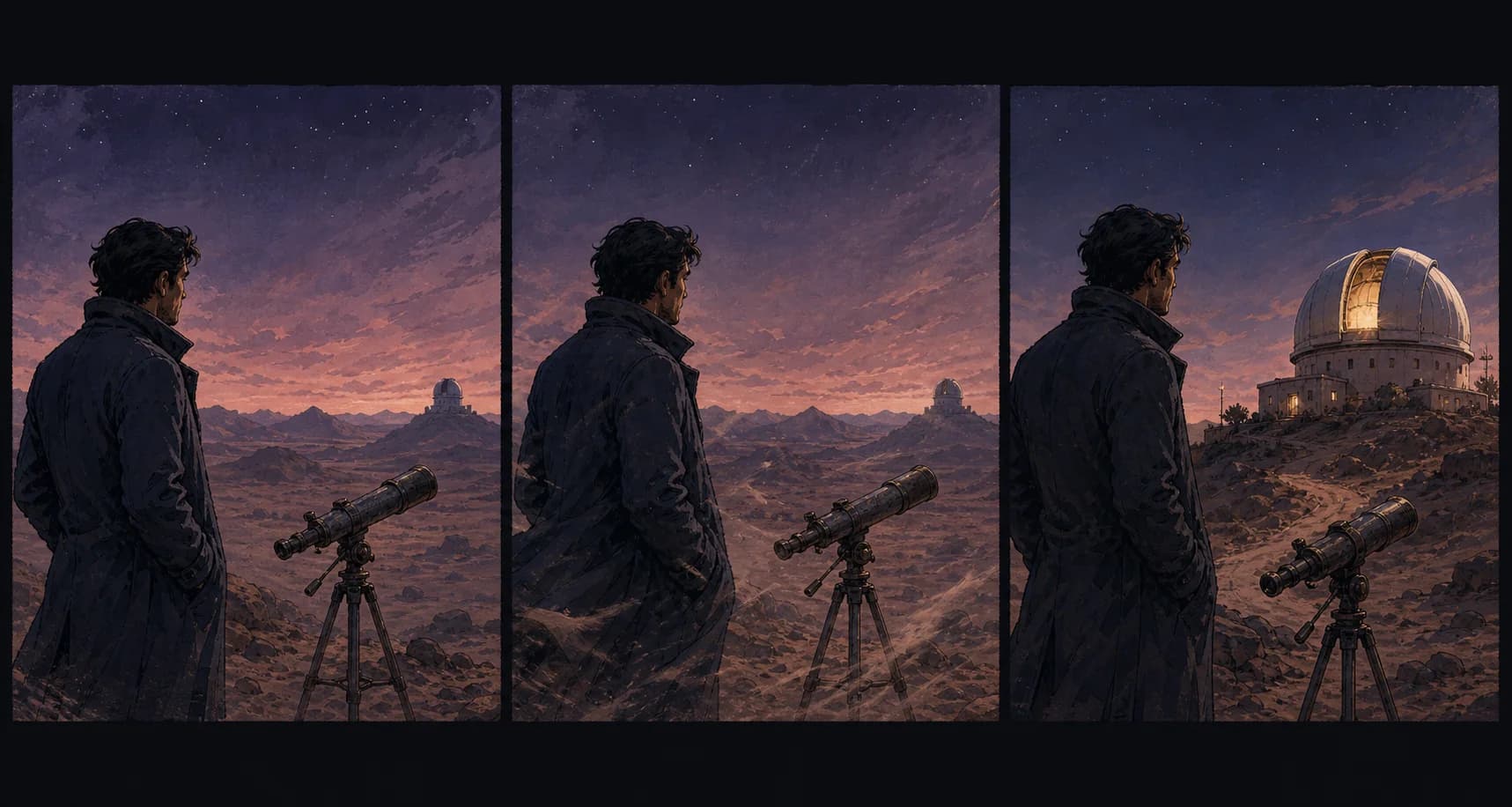
This original triptych is a planning illustration, not a rendered live video. It identifies three compatible beats—hold, environmental motion, reveal—without inventing a second scene, voice performance, or complex character action.
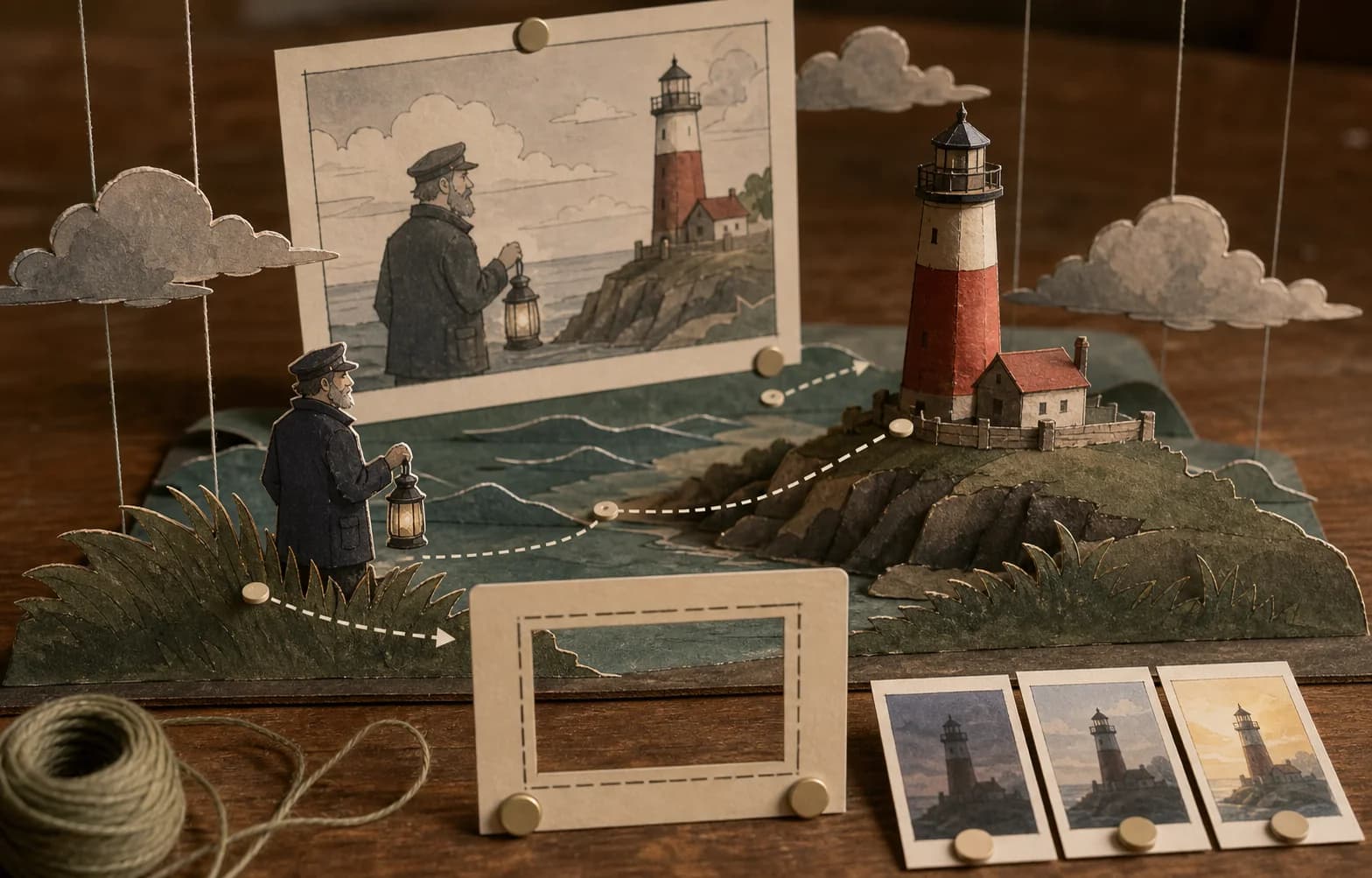
The paper maquette explains why a foreground edge, subject, and background can support a modest push or parallax idea. The live model receives one flattened image; it does not receive these real layers or return an editable scene.
01
Use an authorized image with one clear subject, coherent anatomy, useful depth, and room for the requested movement.
02
Name camera movement, subject movement, environmental movement, what must remain fixed, and the end state.
03
Choose aspect ratio, duration, and quality for the intended placement before submitting the premium task.
04
The page submits to the configured video provider, polls status, reports failure, and restores the latest task for eligible users.
05
Inspect every frame for drift, trim weak tails, add licensed audio and exact captions elsewhere, and document the source and edits.
Capability boundary
The live tool on this page is the site’s actual video generator configured around a comic-panel workflow. You can enter a motion prompt, optionally upload an image, choose an aspect ratio, choose one of the available durations, select 480p or 720p, and submit when signed in with premium access and sufficient credits. The component uploads the reference through the site’s storage workflow, sends the generation request to the configured video service, polls the task, displays progress and errors, restores the latest eligible task, and presents the returned video for playback and download when successful.
The result is one flattened video file from one provider task. It is not a timeline project, layered animation scene, rig, motion-graphics template, camera file, depth map, transparent sequence, sprite sheet, or editable character performance. The page does not generate or mix audio, write a soundtrack, perform reliable lip-sync, identify dialogue balloons, remove existing lettering, or preserve exact character identity. Those absent capabilities are stated because “comic to video” can otherwise imply an automated studio pipeline that the real interface does not provide.
Use the workflow for motion tests, social teasers, presentation shots, animatic experiments, atmospheric loops, or a short proof of direction. Treat every result as a draft that needs frame-by-frame review. For a finished episode, trailer, advertisement, or client delivery, assemble approved shots in a video editor, add licensed audio, build exact titles and captions, normalize color and sound, check rights, and export to the current platform specification.
Panel selection
A strong source panel has one readable subject, clear silhouette, coherent hands and face, stable architecture, and enough visual depth for the requested camera move. A quiet medium or wide shot often gives the model more room than an extreme close-up filled by a face. Foreground objects can support a push or slight parallax, while distant lights, rain, smoke, fabric, hair tips, foliage, or reflected water can carry modest environmental motion. The panel does not need to look static, but it should not already contain unresolved anatomy or contradictory perspective that motion will amplify.
Avoid panels dominated by small lettering, dense screentone, intricate repeated patterns, several overlapping characters, extreme foreshortening, or an action frozen at a physically ambiguous instant. Video generation may warp bubble text, redraw hatching, multiply fingers, change costume details, or make a background breathe. If the panel is essential despite these risks, remove final lettering in an authorized editable workflow, simplify unstable texture, and test a short low-stakes version before spending credits on a longer request.
Use the cleanest authorized source available. Crop page furniture that should not animate, but keep enough border or background to support framing. The upload is sent through the site’s configured storage and provider workflow; it is not local-only processing. Do not upload confidential, embargoed, private, or unlicensed material unless the applicable policy and agreement permit it. Preserve the original, source license, page context, and an untouched copy of the selected panel.
Motion brief
A useful motion prompt separates camera, subject, environment, invariants, and ending. For example: “Slow push toward the observatory; coat edge and dust move lightly; dome light turns on; keep the character’s face, clothing, telescope, horizon, palette, and ink texture stable; end on the illuminated dome.” This is more controllable than “make it cinematic and dynamic.” The exact provider may still interpret the request differently, so the prompt is a direction, not a keyframed guarantee.
Limit the physical change. Small breathing, a blink, a slight head turn, cloth reacting to wind, moving rain, drifting steam, light change, or a restrained camera push is often compatible with a still panel. Running, fighting, turning fully around, speaking a long sentence, changing location, or revealing an unseen crowd requires the model to invent large amounts of information. That invention can replace the original design or create unstable limbs and backgrounds. Generate separate shots when the story needs separate actions.
State what must not happen. Exclude new characters, new objects, scene replacement, dramatic camera orbit, sudden zoom, written text, logos, watermark, lip-sync, large body movement, and style change when they are not needed. Negative instructions cannot guarantee preservation, but they clarify the review standard. Save the exact motion brief with the result so a later editor knows which movement was requested and which behavior was an unplanned artifact.
Camera and depth
A slow push changes subject scale and reveals limited spatial relationships. A small pan can inspect a wide environment. A locked camera lets environmental motion carry the shot. A slight handheld feel may support documentary tension, but it can also make ink lines and architecture wobble. A full orbit asks the model to invent the unseen back and sides of every object and character, which is rarely appropriate for one flat comic panel. Match camera ambition to the amount of trustworthy spatial information in the source.
Think of the image as foreground, subject plane, and background even though no real layers are available to the tool. A railing edge, drifting branch, or doorway can provide foreground motion; the character can remain nearly fixed; clouds, dust, rain, or distant light can change slowly behind them. The provider synthesizes these relationships from flattened pixels. It does not receive masks, depth values, or authored parallax planes from this page, so inspect edges where elements overlap and reject results that tear or slide unnaturally.
Preserve screen direction when the clip will join other shots. If a character faces right toward a door, a spontaneous reversal can break the edit. Name the intended gaze and destination, then check the entire result rather than only the final frame. For a sequence, create a shot list with entry state, motion, end state, duration, aspect ratio, and continuity anchors. Each video generation is an independent task; the page does not remember or enforce continuity across clips.
Duration and format
The live controls expose 6, 8, 10, 15, 20, 25, and 30 second durations, several aspect ratios, and 480p or 720p quality. Availability and behavior ultimately depend on the configured provider and account. Longer is not automatically better. Drift can accumulate as the model invents more frames. Start with the shortest duration that can express the motion, especially when testing a new source or complex character. A concise successful shot can be held, cut, or combined more predictably in editing than a long clip with a strong beginning and broken ending.
Choose the aspect ratio before generation. A tall panel may support 9:16, while a landscape panel may fit 16:9; forcing a different ratio can crop important art or ask the model to invent new edges. The interface also offers square and intermediate ratios. Protect faces, captions that have not yet been removed, and story props inside the intended safe region. Platform overlays, subtitles, and crop behavior should be tested later in the actual placement.
480p can be useful for directional tests and lower-cost review when the provider supports it; 720p provides more delivery detail but does not correct anatomy, identity, or motion. Resolution is not semantic quality. Inspect the generated file at playback size and frame level. If the clip will be enlarged, denoised, interpolated, or reframed, test those operations on a copy and watch for amplified line shimmer, edge halos, face drift, and texture boiling.
Task states and recovery
Anonymous users can prepare the prompt and settings. When authentication is required, the component builds a return path containing the prompt, image URL when available, size, duration, and quality, then points back to this page’s generator anchor. Premium access is required by the current video workflow. Credit requirements are shown in the live interface and may change with runtime configuration; this editorial copy does not invent a fixed cost. Check the control itself before submitting.
After submission, the page stores the task identifier, polls the real status endpoint, displays progress, and handles completed, failed, canceled, or expired states. Temporary status errors are retried a limited number of times. Eligible signed-in users can restore their latest video task and its settings. A completed status still needs a returned video URL; a missing URL is treated as an error. Provider failure, timeout, moderation, storage, network, account, and credit conditions can prevent delivery.
Do not repeatedly resubmit an uncertain task without checking status and balance. If the page reports failure and refund information, follow the visible state; if account or billing information appears inconsistent, preserve the task ID and contact support through the available channel. Reduce motion complexity or source size only when the error suggests an input problem. A creative mismatch is different from a technical failure: it may require a revised prompt and a new paid generation rather than a retry of the same task.
Frame review
First play the clip at normal speed without scrubbing. Does the intended change read? Is the duration appropriate? Does the camera move support the comic moment, or does it call attention to itself? Does the ending provide a usable cut point? If the shot only makes sense when you remember the prompt, the visible storytelling is weak. Compare the result with the source panel at the same display size to identify unintended crop, palette, or composition changes.
Then scrub through faces, hands, eyes, clothing edges, props, architecture, panel borders, and high-frequency texture. Look for identity drift, extra fingers, melting lines, popping objects, changing accessories, doubled edges, warped lettering, inconsistent shadows, and background breathing. Check the first and last frames closely because transitions often expose invention. The playback preview is not a substitute for opening the downloaded file in an editor that can inspect exact frames and codec behavior.
Classify issues before deciding what to do. A weak tail can often be trimmed. A brief edge shimmer may be masked by a cut or overlay when the project permits. A changing face, broken action, misleading symbol, or major background replacement usually requires another generation or a different source. Do not hide a substantive error under music or fast editing when it changes identity, meaning, safety, or factual content. Record accepted corrections and rejected versions.
Audio and captions
This page does not claim to create audio. The returned clip may be silent according to the actual provider workflow, and the interface does not offer voice casting, dialogue synthesis, lip-sync controls, sound effects, music generation, mixing, loudness targets, or audio stems. Add licensed or original sound in a video editor. Keep dialogue editable and verify speaker, pronunciation, performance rights, music license, and platform requirements. Do not describe silent output as a finished animated scene.
If the source panel contains speech balloons, generated motion can warp their letters. A cleaner workflow uses unlettered authorized art for motion, then adds exact subtitles, captions, or designed balloon overlays after the clip is stable. Caption timing should reflect the final edit, not the source panel alone. Provide a transcript and meaningful audio description when the story depends on visual action. Check contrast, safe area, font shaping, reading speed, and language expansion for every localized delivery.
Mix to the destination’s current specification. Avoid assuming one loudness, sample rate, channel layout, or caption format fits every platform. Use a rights log for music, effects, voices, and fonts. Generated video does not clear the source comic, and added audio introduces additional rights. Archive the silent master separately so future localizations can replace text and sound without re-generating the visual shot.
Editing and delivery
Download the completed file and import it into a video editor. Trim unstable beginnings or endings, choose the exact in and out frames, and compare motion across neighboring shots. Add titles, credits, captions, sound, color correction, and any necessary stabilization as editable tracks. Do not repeatedly recompress a downloaded social version. Keep the provider result as a source asset and render delivery files from the project master.
For a sequence, maintain continuity in character design, gaze, light, weather, prop state, line texture, camera height, and motion speed. Independent generations can differ. A concise style and continuity sheet helps reviewers, but it cannot force the provider to match. Place clips side by side, check cuts at normal speed, and replace shots whose drift becomes obvious only in sequence. A still frame from each approved shot can form a useful contact sheet for comparison.
Export to the latest platform or client specification for dimensions, codec, frame rate, file size, color, audio, captions, safe area, and naming. Play the exact exported file on a representative phone and desktop connection. Check thumbnail selection, autoplay behavior, loop point, captions, and whether interface overlays cover important action. Archive the project, prompts, source panels, generated files, edit decisions, rights records, and final deliveries.
Rights and disclosure
Use comic art you created or are authorized to upload and animate. A license to display a still image may not include adaptation, motion, advertising, sublicensing, or provider processing. Confirm the relevant rights before submission. Avoid protected characters, real-person likenesses without an appropriate basis, confidential pages, and references that violate provider or platform terms. This page cannot evaluate ownership or grant permissions.
Review generated additions. The model may invent symbols, signage, people, objects, uniforms, architecture, or behavior absent from the source. Remove anything misleading, unsafe, infringing, or contextually harmful. If the clip could be mistaken for official animation, documentary footage, an endorsed franchise, or a real event, label it appropriately for the intended context and follow applicable platform disclosure rules. Requirements vary and should be checked at publication time.
Maintain a provenance record with the authorized source, license or approval, upload date, prompt, settings, task ID, provider result, rejected versions, edits, audio sources, captions, disclosures, and delivery files. A traceable workflow supports corrections and future localization. It does not resolve every legal question, so obtain qualified advice when the project, territory, subject, or commercial use warrants it.
There are no voice, lip-sync, music, sound-effect, mixing, stem, or loudness controls on this page.
The output is a flattened video, not layers, masks, rigs, paths, keyframes, depth maps, or a project timeline.
Faces, hands, costume, props, ink texture, lettering, and backgrounds can drift across frames or runs.
Actual generation depends on sign-in, premium access, current credit rules, provider availability, moderation, storage, and network state.
Unlike local crop tools, the reference travels through configured storage and video services. Use only permitted material.
Editing, shot continuity, audio, captions, color, rights, disclosures, and delivery exports remain separate work.
Reviewed 2026-07-22 · Anime Maker product and editorial team
Page illustrations are editorial examples, not live account task logs. Judge the tool by the result shown in your own output panel.
No audio creation or mixing controls are provided on this page. Add licensed or original sound, dialogue, captions, and final mix in a video editor.
The workflow is designed around one clear image-guided shot. Split a page into authorized panel crops and animate selected viable panels separately when needed.
No. The source guides the result, but identity, hands, clothing, props, lines, and backgrounds can drift. Review every frame and reject material changes.
Start with one modest camera move and one compatible change: a slow push, blink, fabric motion, rain, steam, light change, or slight gaze shift. Avoid combining several large actions.
The current live video workflow checks premium status and credits before submitting to its configured provider. Follow the up-to-date controls and account state shown in the tool.
No. The optional reference is uploaded through the site’s storage workflow and used by the configured video generation service. Only upload content you may process this way.