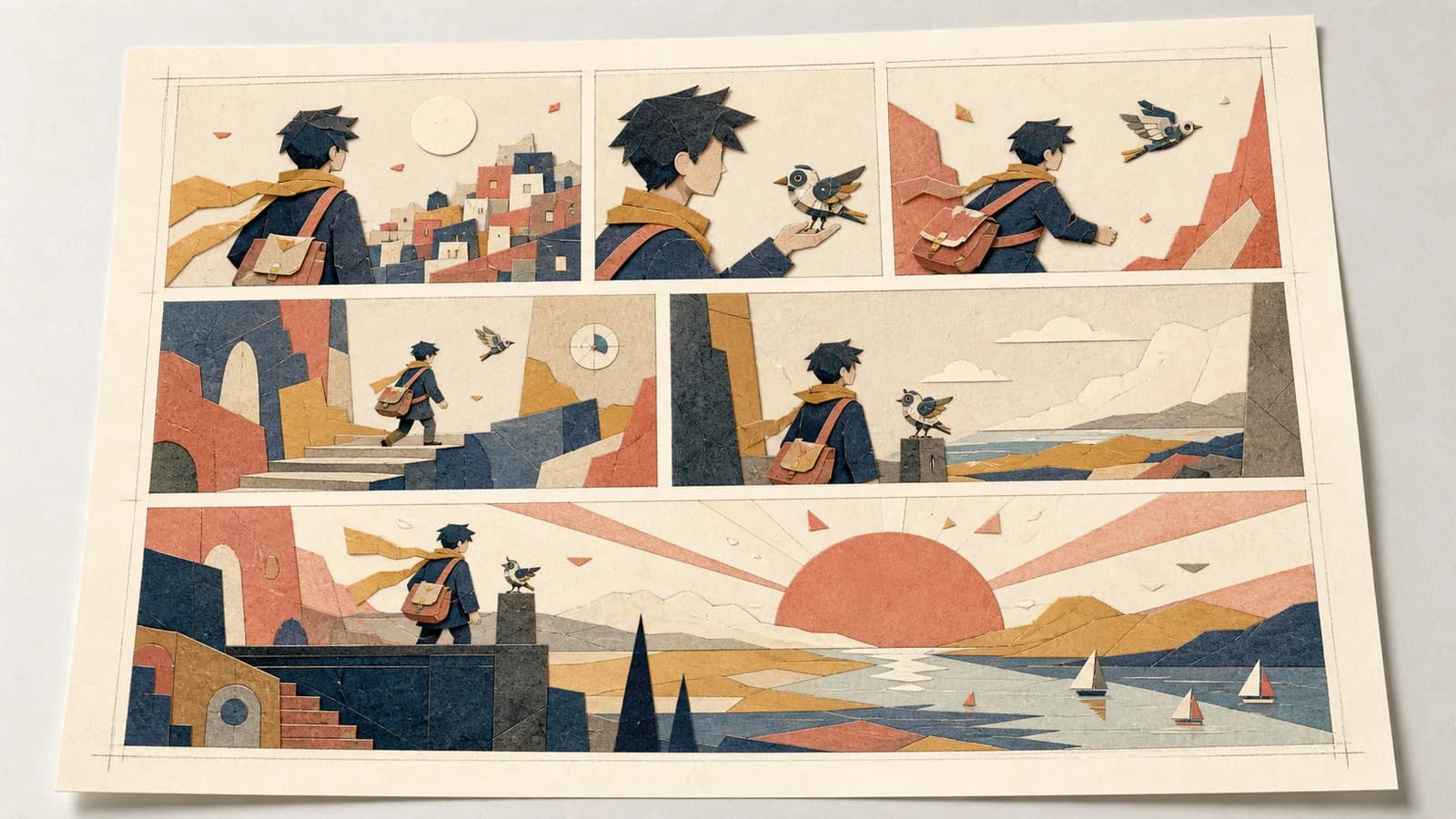
2026/07/26
Comic Panel Layout Guide: Control Flow and Pacing
Use this comic panel layout guide to plan readable grids, gutters, focal panels, dialogue space, page turns, and mobile-friendly story flow for print or phone.
A strong comic panel layout makes the intended reading order obvious, gives important moments more space, and uses gutters to control where readers pause. Start with story beats rather than a decorative grid: give each panel one job, choose a reading direction, reserve room for dialogue, and test the page at its final size before drawing finished art.
This comic panel layout guide is for creators planning a short comic, manga page, storyboard, classroom sequence, pitch, or social post. It focuses on the page architecture—not anatomy, rendering, or a full comic-production pipeline. You will leave with a repeatable thumbnail method, a six-panel worked example, and checks for print, phone, and vertical-scroll delivery.
Quick answer: Write one beat per card, rank those beats by importance, place them in reading order, enlarge only the turning point or payoff, keep gutters consistent unless a pause needs extra weight, and add balloons before final drawing. If a reader cannot follow the thumbnails without coaching, the layout is not ready.
In this guide
- What comic panel layout actually controls
- Plan beats before drawing boxes
- Choose a grid that fits the scene
- Make the reading order unmistakable
- Use panel size to control emphasis and pace
- Treat gutters as time and separation
- Compose the eye path inside the panels
- Reserve dialogue space before final art
- A practical layout workflow with Anime Maker
- Worked example: a six-panel reveal
- Test the layout for print, phone, and scroll
- Comic panel layout checklist
What comic panel layout actually controls
A panel layout is a map of attention. It tells the reader where to look first, what to compare, when to pause, and which moment deserves extra weight. The drawing inside each frame carries the action, but the frames decide how that action is delivered.
Four decisions work together:
- Sequence: the order in which moments are encountered.
- Hierarchy: which panel looks most important before the reader studies its details.
- Rhythm: whether the page feels steady, abrupt, crowded, spacious, or suspended.
- Orientation: how the page supports left-to-right, right-to-left, or vertical reading.
Layout cannot rescue an unclear scene. If two adjacent panels have the same story job, changing one into a diagonal frame only decorates the repetition. Likewise, an oversized panel does not automatically feel dramatic. It earns attention when the surrounding panels prepare a question that the larger image answers.
Think in cause and effect. A narrow close-up of a hand releasing a key can lead into a wide panel showing what the key unlocks. Three equal panels can establish a repeated routine; a fourth panel with a different proportion can break the pattern. The layout works because the visual change matches a story change.
Plan beats before drawing boxes
Do not begin with a template containing six attractive rectangles. Begin with six index cards, sticky notes, or rows in a table. Each card should describe one visible moment and one reason that moment exists.
Use this beat-card format:
BEAT:
What changes:
What the reader must notice:
Suggested shot:
Dialogue or caption space:
Continuity state:
For example, “The courier reaches a locked observatory” is a beat. “The courier walks, looks up, remembers the map, knocks, hears a noise, and opens the door” is several beats compressed into one sentence. Split actions whenever the reader needs to register a new fact, reaction, or choice.
Then rank the cards:
| Rank | Meaning | Typical treatment |
|---|---|---|
| A | the page’s turn, reveal, or emotional center | largest or most isolated panel |
| B | necessary setup, decision, or reaction | medium panel with clear subject |
| C | connective action or small detail | compact panel, often a close-up |
Most short pages need one A beat, two or three B beats, and a few C beats. If every card is marked A, the page has no hierarchy. If none is A, the page may feel like an even list of events.
Read the cards aloud before arranging them. Remove any beat that only repeats narration or explains something the image can show. If the sequence still depends on a paragraph of backstory, revise the scene before touching the grid. The related comic-strip workflow explains how to reduce a broader idea to setup, turn, and payoff; this page assumes that story spine already exists.
Choose a grid that fits the scene
The best grid is the simplest one that expresses the scene. Regular grids are not “beginner layouts”; they are dependable structures that let acting, timing, and contrast do the work. Irregular layouts are useful when a specific beat needs a different duration or weight.
Common grid patterns
| Pattern | What it does well | Common failure |
|---|---|---|
| 3 equal panels | comparison, repetition, quick setup–change–reaction | feels flat if every shot is also identical |
| 2 × 2 grid | clear four-beat sequence, social-friendly square | all four beats compete equally |
| 3 tiers | familiar page rhythm with flexible panels per row | ambiguous order when vertical seams align badly |
| small panels into one wide panel | builds evidence before a reveal or location change | reveal arrives before the setup is understood |
| one large panel with inserts | anchors a place while highlighting details | inserts hide the focal subject or confuse chronology |
| full-width vertical-scroll beats | clear phone reading, controlled reveal distance | excessive empty space weakens momentum |
Start regular, then change only what the story asks you to change. For a conversation, a stable tier structure keeps attention on expressions and wording. For a chase, alternating wide direction-setting panels with narrow detail panels can create acceleration. For an instructional comic, repeated equal frames make comparison easier than an expressive collage.
The official Clip Studio Paint Frames and Panels manual documents equal division, independent frame folders, horizontal and vertical gutter settings, and aligned-gutter behavior. MediBang Paint’s official comic creation guide similarly treats panel width, position, and spacing as editable construction choices. The useful production principle is software-independent: keep frames editable until the reading test passes.
Make the reading order unmistakable
A reader should not have to solve the page. Establish the reading direction before composing poses, balloons, motion, or signage.
For a left-to-right page, the default path begins at the top left and advances across, then down. For right-to-left manga, it begins at the top right and advances across in the opposite direction. MediBang’s official frame-layout tutorial describes these two starting rules and shows how panel allocation and visual guidance work together.
Problems usually appear at junctions. Imagine a top row with one tall panel beside two stacked small panels. Should the reader move down the tall panel or across to the upper small panel? You can resolve the junction by changing frame edges, widening one gutter, aligning a tier, placing the lead character’s gaze toward the next panel, or moving a balloon so the eye exits in the intended direction.
Use the border-only test:
- Hide the art and text.
- Look only at the panel shapes and gutters.
- Number the panels as a first-time reader might.
- Ask another person to number them without seeing your answer.
If the numbers differ, do not rely on arrows to fix the page. Simplify the arrangement. Arrows can belong in a diagram or intentional graphic language, but they should not be emergency signs for a broken narrative path.
Direction inside the image matters too. A character who moves toward the next panel helps carry attention across the gutter. A face turned backward can create hesitation, which may be useful before a reveal. Use these cues deliberately; do not force every figure to face the same way.
Use panel size to control emphasis and pace
Panel size influences the amount of visual information a reader expects to inspect. A wide establishing panel can hold location and spatial relationships. A small close-up can isolate one clue. A tall panel can follow a fall, tower, doorway, or standing figure. These are tendencies, not fixed equations between physical size and seconds.
Use contrast between neighboring panels rather than size in isolation:
- several compact panels followed by a wide view can feel like release;
- repeated equal panels can establish routine;
- a sudden narrow panel can interrupt that routine with a detail;
- one borderless image can feel open or overwhelming when the page has otherwise stayed contained;
- a silent reaction panel can hold attention when it follows dense dialogue.
Do not make a panel large merely because the drawing is pretty. Ask, “What does the reader learn here that justifies this space?” A large image of a familiar room may slow the story without adding meaning. A small image of the missing key might deserve more isolation, not more area.
Also separate event importance from drawing difficulty. Crowds, architecture, and vehicles often need room to remain legible, but that does not make them the emotional center. You may need a wide orientation panel plus a cleaner, visually dominant reaction panel. Hierarchy comes from area, contrast, faces, detail, value, color, and surrounding whitespace together.
Treat gutters as time and separation
The gutter is not leftover canvas. It marks a transition between two selected moments. Consistent gutters tell readers which panels belong to the same rhythm; a wider gap can suggest a larger jump in time, place, or thought when the rest of the page establishes a narrower norm.
Set a base gutter before placing final art. Keep it consistent across ordinary transitions. Then consider exceptions:
- same action, next instant: standard or tight gutter;
- new place or later time: slightly wider separation or a new tier;
- memory, dream, broadcast, or imagined result: a distinct border treatment used consistently;
- simultaneous action: matched panels or shared visual alignment;
- impact crossing a border: reserve for a moment whose force actually connects the frames.
Too many exceptions cancel one another. If every panel tilts, overlaps, bleeds, and breaks its border, the reader loses the baseline needed to feel any one break. One controlled disruption usually carries more force than six competing tricks.
For print, keep trim and binding in mind. Important faces, balloons, and clues should not sit against a cut edge or disappear into a book gutter. Use the printer’s current trim, bleed, and safe-area specifications rather than copying numbers from an unrelated template. For a two-page spread, check the center seam as a physical obstruction, not just a line on the screen.
Compose the eye path inside the panels
Once the outer sequence works, design the route inside each frame. The reader typically notices strong value contrast, faces, eyes, hands, saturated color, sharp detail, and isolated shapes. Decide which one carries the beat, then reduce competition around it.
Build a chain of focal points. The important object in panel 1 can sit near the exit edge; panel 2 can pick up a similar shape near its entry edge. A character’s gaze can point toward a clue. A repeated prop can change position while retaining its color. These links should feel natural when the art is visible and unnecessary when it is hidden.
Run three tests on the thumbnail:
- Squint test: Blur your eyes. Which panel and shape attract attention first?
- Silhouette test: Fill characters and major props with flat dark values. Is the action still readable?
- No-dialogue test: Hide every balloon. Can a reader identify the physical event and emotional turn?
Do not confuse detail with clarity. A highly rendered background can steal the first glance from a small face. If the location matters, establish it once, then simplify it in closer panels. If a prop drives the reveal, keep its silhouette and screen position consistent enough to be recognized.
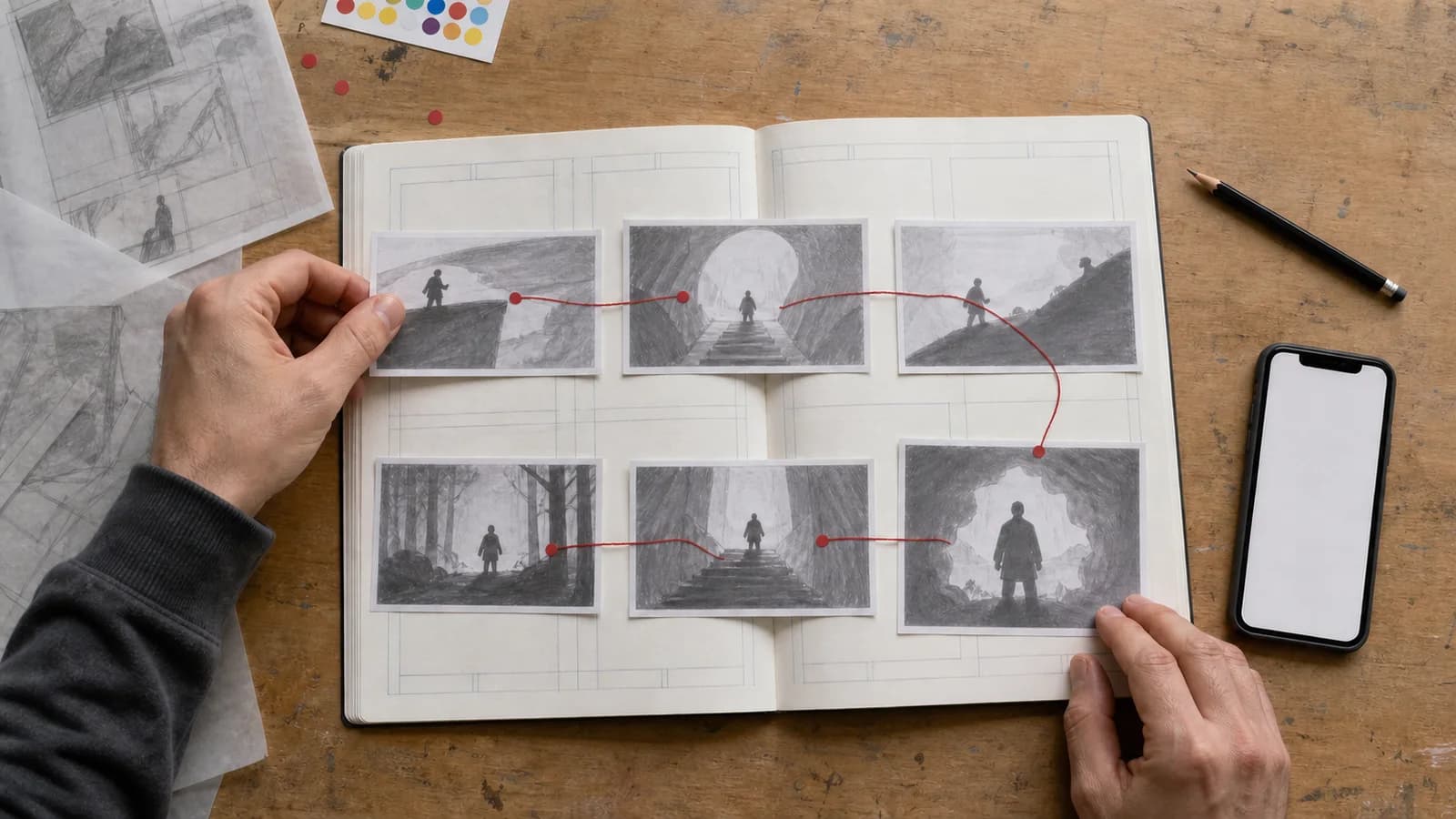
Reserve dialogue space before final art
Lettering is part of the layout. Add rough balloons to the thumbnail stage, even when the final dialogue is not written. A balloon has area, direction, reading order, and a relationship to the speaker. Leaving it until the end often covers faces or forces the reader to jump backward.
For each panel, mark:
- the speaker;
- the first balloon and last balloon;
- the shortest version of the line;
- the face, hand, or clue that must remain visible;
- enough open value behind the balloon for clean separation.
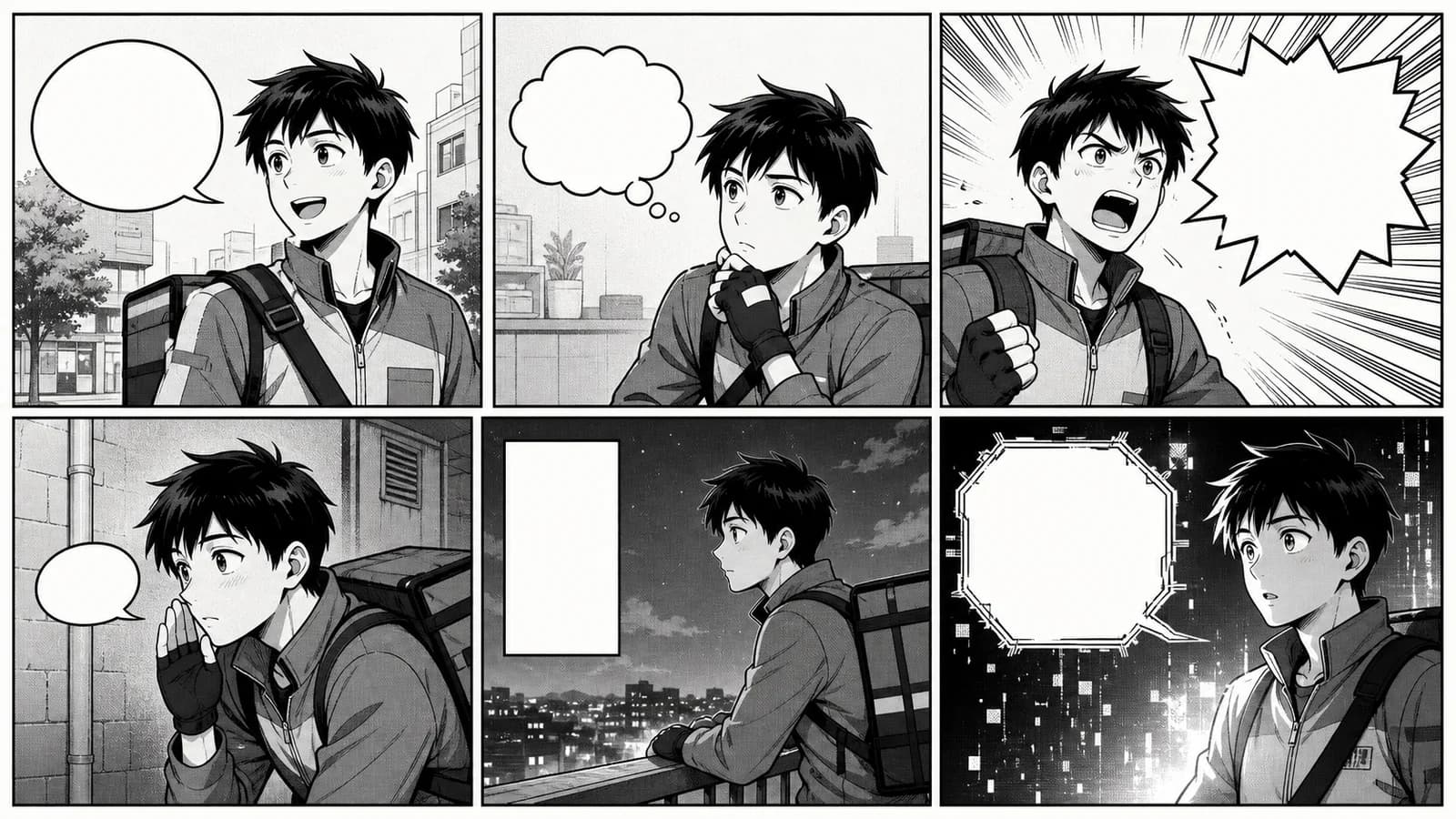
Balloon order should support panel order. In a left-to-right comic, an early balloon placed on the far right can pull attention past the reply. In a translated edition, a line may expand or contract, so keep editable text and balloon layers. The manga speech bubble generator can help explore visual references for speech, thought, narration, or shouting shapes, but final dialogue should be added and proofread in an editor.
Avoid asking an image generator to render finished lettering. Spelling, line breaks, punctuation, and translation need direct control. Ask for unlettered art with planned negative space, then place the exact copy later. This also makes updates and accessible transcripts much easier.
A practical layout workflow with Anime Maker
Anime Maker can support visual exploration, but it is not a page-layout editor. Its comic strip maker produces a single square raster composition with a short 3–4 panel sequence. It does not return separately editable frames, preserve a trained character identity, or guarantee final lettering. Use it for a story pitch or art draft, then finish panel geometry, corrections, and text in an editor.
For a longer or page-shaped concept, the AI comic generator and AI manga generator can help explore a visual direction. They still do not replace a thumbnail, an editable production file, or continuity review.
Step 1: write the scene in one sentence
State the character, immediate goal, interruption, and outcome. If the sentence contains two locations and three decisions, split it into multiple pages.
Step 2: create one beat card per visible change
Keep each card drawable as a frozen moment. Add the continuity state of recurring clothing, props, weather, and screen direction.
Step 3: rank the beats
Mark the turn or payoff as A, necessary setup and reaction as B, and connective details as C. Choose only one dominant A beat per short page.
Step 4: make three tiny layout options
Try a regular version, a version with one larger reveal, and a version optimized for the final platform. Spend minutes, not hours. Compare reading order and emphasis rather than drawing quality.
Step 5: place rough balloons and focal shapes
Use ovals and black silhouettes. Check that balloons do not cover the acting and that the eye exits each panel toward the next useful point.
Step 6: generate or draw an unlettered art draft
If using Anime Maker, specify panel count, order, recurring character details, each panel’s visible action, varied shot sizes, clean gutters, and “no written text.” Treat the result as a reference draft, not an editable master.
Step 7: rebuild and correct in an editor
Crop or redraw panels, repair continuity, establish exact gutters, and add balloons and text on separate layers. Keep the original generation untouched so you can compare changes.
Step 8: test at delivery size
Review the page on the intended phone, website width, or printed proof. Ask a new reader to describe the order and the turning point. Their hesitation is layout data.
Worked example: a six-panel reveal
Consider this scene: A hill-town courier follows a mechanical bird to an abandoned observatory and discovers that the bird has been repairing the town’s weather beacon. The emotional center is not the walk; it is the moment the courier understands the bird’s purpose.
| Panel | Story job | Shot and focal point | Layout choice |
|---|---|---|---|
| 1 | establish goal | wide: courier sees the bird take a brass part | medium landscape panel |
| 2 | show pursuit | narrow: boots climbing steep steps | compact vertical panel |
| 3 | raise question | close-up: bird enters a dark doorway | compact panel beside panel 2 |
| 4 | hold before reveal | medium: courier pauses at the threshold | quiet full-width strip |
| 5 | reveal | wide interior: bird repairs a large beacon | largest panel on the page |
| 6 | emotional result | close-up: first warm signal reflects in courier’s eyes | smaller isolated closing panel |
Why this arrangement works:
- Panels 2 and 3 compress the physical approach.
- Panel 4 creates a clean pause rather than adding more chase action.
- Panel 5 receives the most space because it answers the page’s question.
- Panel 6 does not compete with the reveal; it translates the discovery into character emotion.
An early version might make panels 1, 4, and 5 equally wide. That weakens the hierarchy because arrival and reveal look equally important. Another weak version might place the eye close-up before the beacon, making the reaction arrive before the cause. The fix is structural, not cosmetic.
Here is a compact prompt for an unlettered 3–4 panel concept rather than the full six-panel page:
PURPOSE: square four-panel comic concept, no written text.

CHARACTER LOCK: young hill-town courier, short dark hair, mustard scarf,
navy coat, brown cross-body satchel; small brass-and-ivory mechanical bird.

PANEL 1: wide shot, bird carries a brass part toward an old observatory.
PANEL 2: narrow upward view, courier follows on steep stone steps.
PANEL 3: over-shoulder view, dark observatory doorway, bird enters.
PANEL 4: large reveal, bird repairing a weather beacon, warm dawn signal.

LAYOUT: clear left-to-right order, clean gutters, final panel dominant,
consistent character and bird, open space for later balloons, no captions.
The prompt intentionally simplifies six beats to four because the tool’s short-strip format has a tighter practical scope. Keep the six-panel thumbnail as the editorial plan; use the generated strip to explore staging, palette, or the reveal image.
Diagnose common layout problems
| Symptom | Likely cause | Repair to try first |
|---|---|---|
| readers choose different panel orders | tier junction or gutter alignment is ambiguous | simplify the grid and retest borders only |
| reveal feels weak | reveal has no setup or no visual contrast | add a question beat; reduce competing panel weight |
| page feels slow | repeated beats or oversized connective actions | combine actions; shrink C beats |
| page feels breathless | no reaction, pause, or spatial reset | add a silent beat or wider transition |
| balloons cover faces | lettering was postponed | place rough balloons during thumbnails |
| action seems to reverse | screen direction changes without motivation | flip the staging before final art, not the finished page |
| phone preview is unreadable | too many equal, detailed panels | simplify backgrounds and enlarge the key beat |
| expressive layout feels chaotic | too many tilted, overlapping, or borderless frames | restore a regular baseline and keep one exception |
Change one variable at a time. If you alter the grid, camera, dialogue, and ending together, you will not know what solved the problem. Make a new thumbnail, label the change, and put both versions in front of a reader.
Test the layout for print, phone, and scroll
The same scene needs different packaging on a printed page, a square feed post, and a vertical episode. Do not simply shrink or slice the finished page.
Printed page
Check trim, bleed, safe area, binding, left/right page position, and page-turn placement. A reveal on the next page works only if the reader cannot already see it in the open spread. Print a rough copy at actual size; screen zoom hides small lettering and crowded gutters.
Phone or social feed
Preview at the real display width. Faces, hands, clues, and balloon type must remain legible without pinch zoom. A square 2 × 2 grid may suit four simple beats; a dense six-panel page often needs carousel slides or a redesigned vertical version.
Vertical scroll
Treat vertical distance as part of timing. Repeated empty gaps can become monotonous, while a larger gap before a reveal can delay it. Keep related reaction shots close enough to read as one exchange. Test several phone heights because the fold changes what the reader sees together.
Accessible web publishing
An image-only comic needs a meaningful text alternative. The W3C Web Accessibility Initiative’s image tutorial says informative images need alternatives that convey their essential information, while purely decorative images should use empty alternative text. For a narrative comic, provide concise alt text and, when dialogue or sequence detail matters, a visible transcript near the image.
Keep lettering outside flattened art when possible. Editable text is easier to translate, proofread, enlarge, and transcribe. Before publishing on a third-party platform, check its current technical and content rules. WEBTOON CANVAS’s content guidelines also require creators to own the necessary rights to uploaded material or have sufficient permission.
Comic panel layout worksheet
Copy this block for every page:
PAGE PURPOSE:
READING DIRECTION: left-to-right / right-to-left / vertical
DELIVERY: print / phone / scroll / presentation

A BEAT (turn or payoff):
B BEATS (setup, decision, reaction):
C BEATS (details, connective actions):

BASE GRID:
ONE INTENTIONAL EXCEPTION:
BASE GUTTER:
WIDER TRANSITION, IF ANY:

BALLOON ORDER:
FINAL FOCAL POINT:
CONTINUITY RISKS:

BORDER-ONLY TEST: pass / revise
NO-TEXT TEST: pass / revise
FINAL-SIZE TEST: pass / revise
NEW-READER TEST: pass / revise
Comic panel layout checklist
- Every panel has one distinct story job.
- One beat is clearly ranked as the page’s turn or payoff.
- The reading direction is established before the final drawing.
- The border-only layout produces one obvious panel order.
- Panel size reflects story importance or legibility, not drawing effort.
- Ordinary gutters are consistent.
- Any wider gap, bleed, overlap, or tilted frame has a clear purpose.
- Focal points lead toward the next useful panel entry.
- Rough balloons fit without covering faces, hands, or clues.
- Character and prop states remain consistent across the sequence.
- The page works without dialogue at thumbnail size.
- Text remains readable at the actual delivery size.
- Print trim, phone width, or scroll spacing has been tested directly.
- Web publication includes useful alt text or a transcript.
- Art, references, fonts, and platform uploads are cleared for use.
Frequently asked questions
What is the best comic panel layout for beginners?
Start with three horizontal tiers or a 2 × 2 grid. Both make reading order easy to test and leave room to practice shot choice, acting, and dialogue. Change one panel’s size only when the story has a clear turn, reveal, or pause that deserves different weight.
How many panels should be on one comic page?
There is no universal number. Use the fewest panels that show every necessary change without compressing reactions or orientation. A short scene may work in four to six panels; a quiet conversation may need more. Test the page at final size rather than aiming for a quota.
Do bigger comic panels always slow down time?
No. A larger panel often invites more inspection, but perceived time also depends on content, dialogue, repetition, detail, and surrounding panels. A large action image can feel immediate, while a small silent close-up can hold a long pause. Judge the transition, not size alone.
How do I stop readers from following panels in the wrong order?
Hide the art and test the borders first. Simplify tier junctions, adjust gutter widths, and avoid alignments that offer two equally plausible routes. Then use balloon order, character gaze, movement, and focal-point placement to reinforce the same path. Ask a new reader to number the panels.
Should manga panel layouts always read right to left?
Use the reading direction of the edition and audience you are designing for. Japanese-style right-to-left pages should be planned that way from thumbnails. Do not simply mirror a finished left-to-right page, because handedness, signs, action direction, balloon order, and composition may break.
Can Anime Maker create an editable comic page layout?
No. Anime Maker can produce a single raster comic-strip concept and help explore visual staging, but it does not return editable frame folders, separate panel files, reliable final lettering, or a persistent character model. Build the production layout and text in a dedicated image or comic editor.
How should I adapt a print page for a vertical webcomic?
Return to the beat cards. Stack them in vertical order, decide which images can share one phone screen, and use spacing to separate scenes or delay reveals. Redraw crowded horizontal compositions when necessary. Slicing a finished print page often leaves tiny figures, awkward balloons, and accidental pauses.
Final takeaway
A useful comic panel layout guide should help you make decisions, not hand you a bag of dramatic frame shapes. Begin with visible story changes, rank one beat above the others, build an unmistakable reading path, and test the page with balloons and focal values before polishing the art.
For your next page, make three thumbnails in ten minutes: one regular grid, one version with a larger turning point, and one designed for the final screen or paper size. Put them in front of a reader who does not know the script. The version they can follow—and the moment they remember—is the layout worth developing.
References
Author

Categories
In this guideWhat comic panel layout actually controlsPlan beats before drawing boxesChoose a grid that fits the sceneCommon grid patternsMake the reading order unmistakableUse panel size to control emphasis and paceTreat gutters as time and separationCompose the eye path inside the panelsReserve dialogue space before final artA practical layout workflow with Anime MakerStep 1: write the scene in one sentenceStep 2: create one beat card per visible changeStep 3: rank the beatsStep 4: make three tiny layout optionsStep 5: place rough balloons and focal shapesStep 6: generate or draw an unlettered art draftStep 7: rebuild and correct in an editorStep 8: test at delivery sizeWorked example: a six-panel revealDiagnose common layout problemsTest the layout for print, phone, and scrollPrinted pagePhone or social feedVertical scrollAccessible web publishingComic panel layout worksheetComic panel layout checklistFrequently asked questionsWhat is the best comic panel layout for beginners?How many panels should be on one comic page?Do bigger comic panels always slow down time?How do I stop readers from following panels in the wrong order?Should manga panel layouts always read right to left?Can Anime Maker create an editable comic page layout?How should I adapt a print page for a vertical webcomic?Final takeawayReferences
More Posts
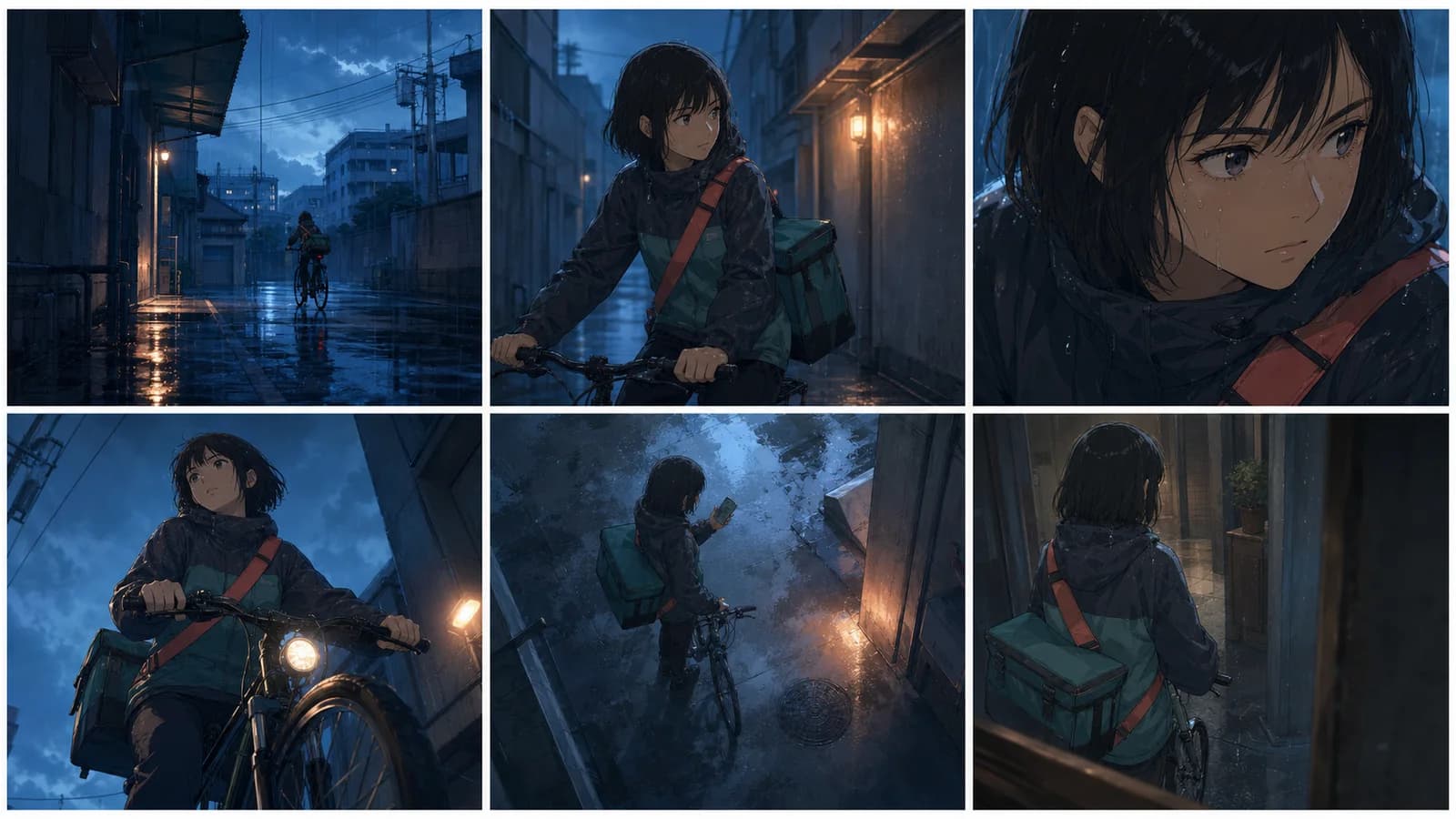
Production guides
Anime Camera Angles: A Practical Storytelling Guide
Plan anime camera angles that clarify story, emotion, and screen direction. Compare shot sizes, build a shot list, and write prompts you can test.
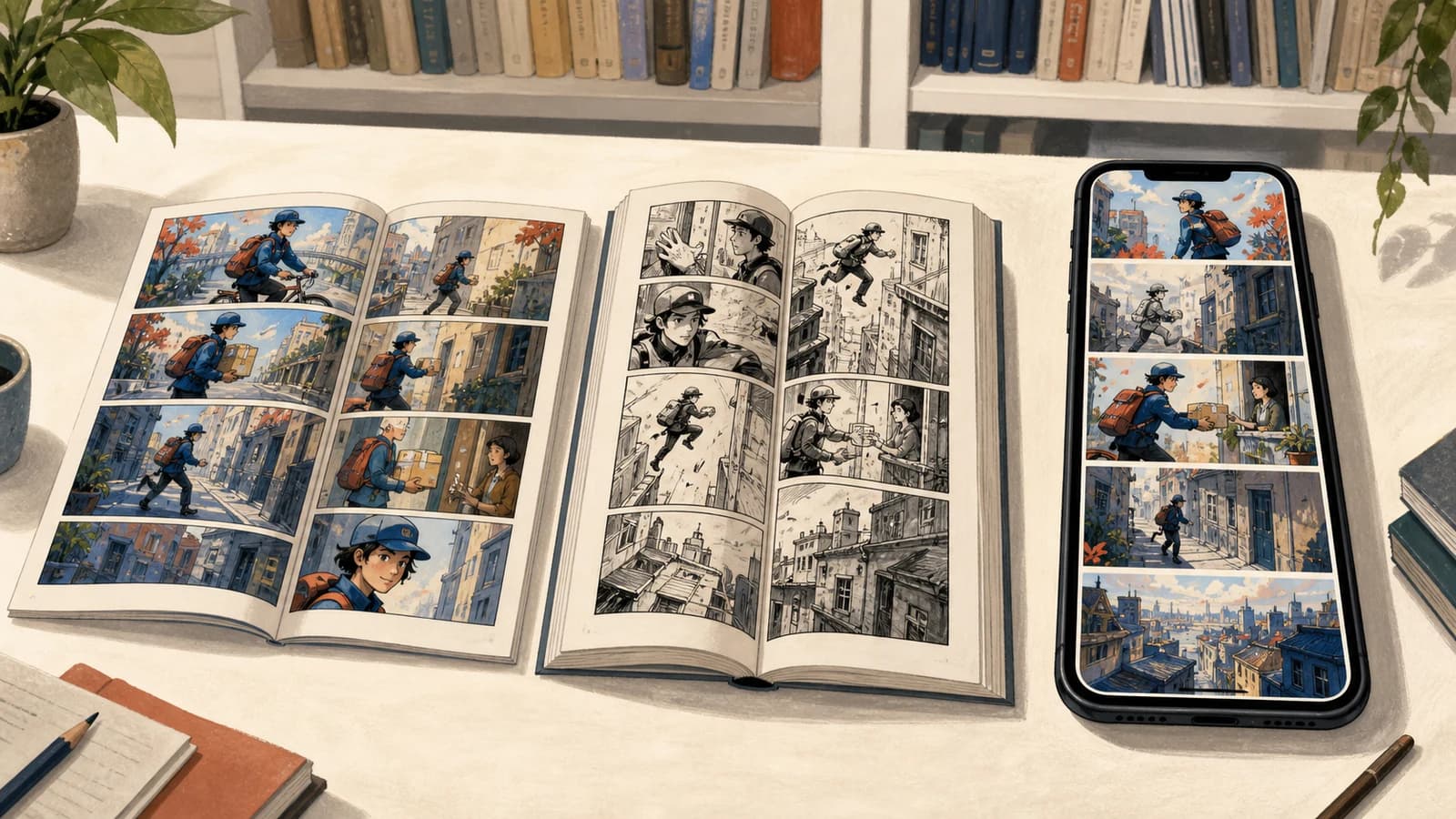
Production guides
Comic vs Manga vs Manhwa: A Practical Comparison
Compare comic vs manga vs manhwa by publishing tradition, reading direction, color, layout, serialization, workflow, and the format your story needs most.
Production guides
Types of Manga Speech Bubbles: A Practical Guide
Learn the main types of manga speech bubbles, what each shape implies, and how to place, letter, translate, and check them without confusing readers.
Newsletter
Join the community
Subscribe to our newsletter for the latest news and updates