
01
Prepare an authorized proxy
Trim one scene, keep the master untouched and export a browser-friendly copy whose rights and provenance you can document.
Video to comic
Sample a local video, apply a deterministic comic-ink or poster-color treatment, and export the processed stills as individual PNGs or one contact sheet. Everything runs in this browser. You choose the useful time range and review the result because the tool does not detect cuts, understand the story or build a finished lettered comic page.
Choose a decodable video, select comic ink, poster color or the original frame, then set the sample range and count. The pixel treatment is local and rule-based; no file or prompt is sent to an AI model.
Local processing: the video stays in this browser tab.
Comic ink and poster color are deterministic pixel treatments, not semantic redrawing. Styled output is capped at 1600 px on its longest side; rights and final cleanup remain your responsibility.
Load a supported video and choose a useful range. The tool samples that range evenly; it does not detect cuts or rank shots.
video to comic
The preview is rendered from the file you selected. Comic ink posterizes luminance and strengthens local edges; poster color quantizes the palette and darkens edge contrast. Both are inspectable pixel operations, not invented scene content.
Actual output
Comic-ink, poster-color or original PNG frames plus a matching contact sheet.
Sampling rule
Even intervals between the start and end times you choose; no cut or subject detection.
Privacy boundary
No upload, account, cloud storage or model request is used by the converter.
Input and sampling
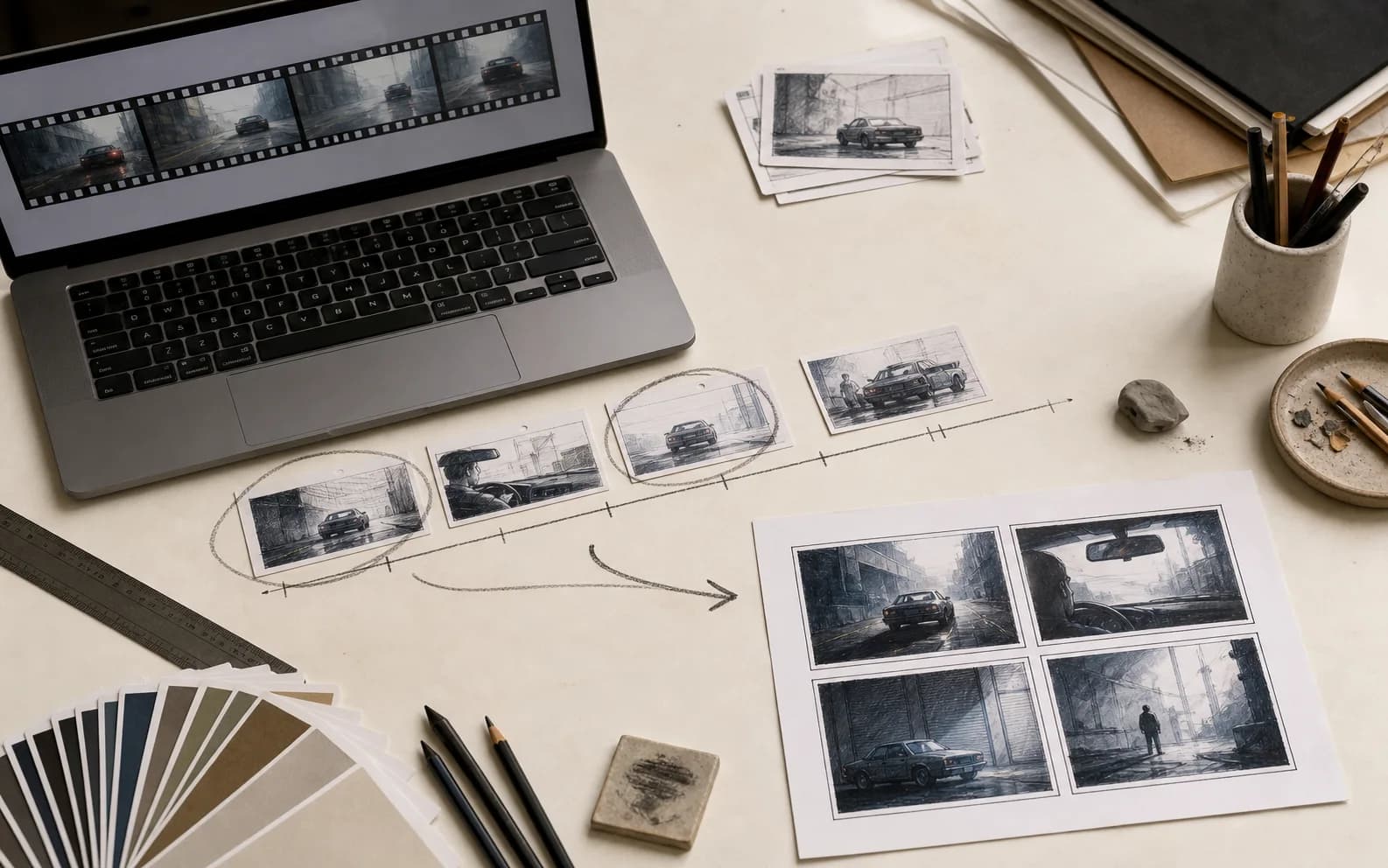
A useful video-to-comic workflow begins with a decodable working copy. Keep the camera original and project archive untouched, then export a short review file in a format your browser already plays. H.264 video in an MP4 container and VP9 video in WebM are common web choices, but support still depends on the operating system, browser build, codec profile and audio track. A file extension alone does not guarantee decoding. Test playback before assuming the extractor can seek accurately.
Trim the working copy around one scene or action. A twelve-minute interview, a ninety-second stunt and a six-second facial reaction require different sampling decisions. This page caps local files at 250 MB, twenty minutes and 4096 pixels on either side to reduce memory and canvas failures. Those are product safety limits, not claims about what every phone or browser can comfortably process. Older devices may need a smaller 720p or 1080p proxy.
Use only footage you recorded or have permission to adapt. Frame extraction does not grant rights to actors, locations, music, costumes, trademarks or underlying characters. If the source includes a client, performer or private place, confirm the intended comic use before sharing a contact sheet. Keep the source filename, date, owner, license or release note beside the exported frames so the image trail remains understandable after they leave this page.
Range decisions
The tool divides the chosen interval into equal positions. Six samples across twelve seconds land approximately every 2.4 seconds because both ends are included. That rule is transparent and reproducible, but it cannot know where a cut occurs, whether a blink ruins the pose or which instant contains the clearest silhouette. Start with four or six samples to understand the scene, then narrow the time range around an important movement instead of increasing the count until every frame looks nearly identical.
For an action, capture the readable phases: preparation, initiation, contact, reaction and recovery. The exact physical peak is not always the best comic panel. A frame one or two beats before impact can show intent and direction more clearly, while a frame after impact can reveal consequence. Use the extracted sequence as observation material, then select or redraw the poses that communicate causality. A comic page controls time through panel size, omission and juxtaposition rather than reproducing every cinematic instant.
For dialogue or performance, seek around changes in listening, breath, gaze and hand position. Do not equate a wide-open mouth with the strongest line. It may be an unflattering in-between or make balloon placement difficult. Look for a stable facial structure, legible eyeline and gesture that supports the intended subtext. If a character crosses the frame, check screen direction across the chosen samples so a later panel arrangement does not accidentally make the person reverse course.
Output evidence
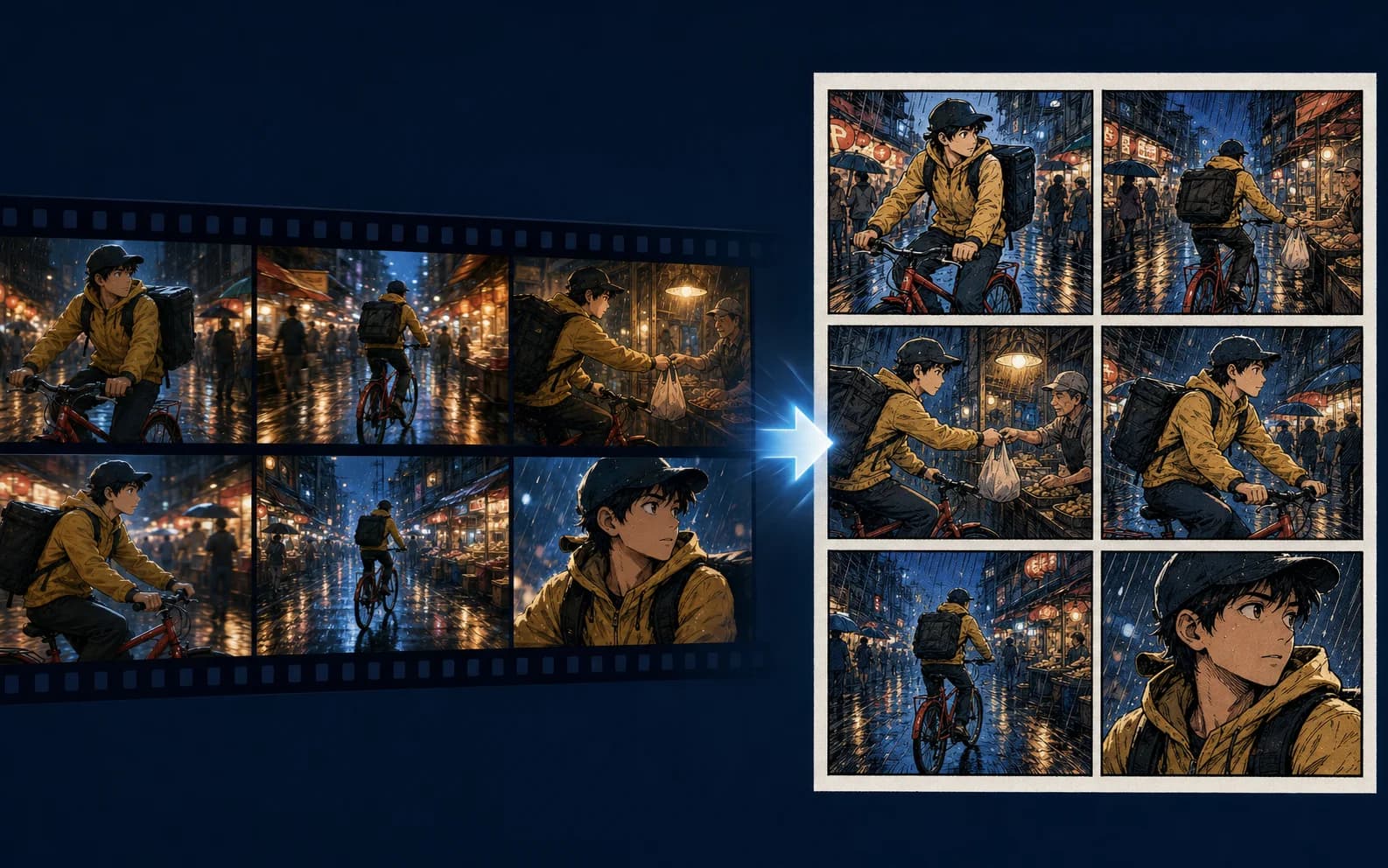
Each thumbnail begins as a canvas capture from the selected video time. Original mode keeps the decoded frame dimensions. Comic ink and poster color use a working canvas capped at 1600 pixels on the longest side, then apply repeatable pixel rules. The contact sheet scales those results into a practical grid with gutters and time labels. It is intended for review, annotation and selection, not as a layered or print-ready comic page.
Compare the image sequence at thumbnail size before zooming in. Strong panels remain understandable through silhouette, value grouping, gaze and spatial relationship. If every sample has the same composition, the scene may need fewer panels. If the action jumps so far that geography disappears, reduce the range or add one orienting frame. Mark what each candidate contributes—place, cause, decision, impact, reaction or transition—rather than choosing only the sharpest image.
The ink mode creates a high-contrast tonal draft and the poster mode creates a reduced-color draft. Neither understands characters, repairs anatomy, redraws motion blur, adds halftone craft, composes panels or writes dialogue. Use the output to choose and simplify moments, then redraw, paint over or commission the final art. Compare the finished sequence with the authorized source and correct continuity before publication.
Panel adaptation
Video delivers a fixed duration; comics ask the reader to construct duration from images, gutters, words and page turns. Do not assign one panel to every sampled frame. First state the story change in the clip. Then choose the minimum images needed to establish where the action happens, what causes it, what changes and how someone responds. An omitted movement can create speed. A repeated close-up can slow a second. A large quiet panel can make an aftermath last longer than the impact.
Camera coverage and panel composition solve related but different problems. A film editor can cut from a wide master to a reverse close-up while sound maintains continuity. A comic reader sees the adjacent images at once, so repeated backgrounds, eyelines, body orientation and balloon order must do more spatial work. Redraw a frame when necessary. Move a figure, simplify the background or combine information from two moments if that produces clearer sequential reading without misrepresenting documentary facts.
Plan the page turn separately from the shot list. A strong cinematic reveal may already be visible at the edge of the same contact sheet, but a comic can withhold it until the next recto page or scroll beat. Note the question before the turn and the exact image that answers or complicates it. For a webcomic, test the vertical distance between setup and reveal on a phone. For print, thumbnail facing pages together and account for the binding gutter.
Drawing and style
A video frame contains lens distortion, motion blur, compression, rolling-shutter artifacts and details that were never designed for a static illustration. Decide what must remain accurate: a person’s broad action, a product mechanism, costume continuity, location geometry or a documentary event. Preserve those anchors, then simplify incidental texture. Direct tracing can make moving limbs feel stiff because the captured instant falls between readable poses. Construction, gesture and perspective still require judgment.
If you use an image model for a later comic interpretation, describe the authorized source, continuity anchors, line treatment, palette, crop and exclusions. Expect a new image, not a guaranteed identity-preserving filter. Check faces, hands, object counts, lettering-like artifacts, logos and background changes. Do not claim that a generated panel documents exactly what occurred in the video. For factual or journalistic work, label reconstructions and keep original frames accessible to the editor.
Maintain visual continuity with a small reference sheet: character proportions, clothing states, important props, location map, light direction and recurring color rules. The contact sheet can supply observations, but it may also capture continuity mistakes from the shoot. Decide whether the comic should reproduce those mistakes or repair them. Record every deliberate change so collaborators can distinguish an adaptation choice from an overlooked inconsistency.
Dialogue and sound
Spoken timing does not map directly to balloon space. Transcribe the clip separately, identify each line’s tactic and remove repetitions that the drawing already conveys. A screen performance can carry hesitation through duration, tone and micro-expression; a comic may need a pause panel, broken balloon, changed posture or simpler phrase. Read the lettered version aloud and measure it against the available negative space rather than shrinking type until the transcript fits.
Sound effects should describe the story function of a sound, not merely prove that audio existed. Note the source, material, distance, rhythm and whether the character hears it. A train brake, cloth movement and off-panel knock occupy different visual positions. Preserve silence deliberately. If the footage depends on music, secure the rights to quoted lyrics and consider whether rhythm can be translated through panel repetition, shapes or color without reproducing protected text.
Captions are useful for time, place, necessary context or a narrator’s distinct perspective. They should not explain every visual transition. When adapting interviews or documentary speech, maintain meaning and obtain approval for edits that could change intent. Store the verified transcript and edit notes separately from the art script. The frame extractor does not read audio, transcribe speech or create dialogue; all language decisions remain with the writer, editor and rights holder.
Quality review
First review whether the selected frames tell the intended causal sequence without relying on memory of the video. Ask a reader who has not watched the clip to describe what happens. Next review continuity: screen direction, hand use, carried objects, costume, weather, background geography and who knows what. Only then evaluate drawing finish, texture and color. Separating passes prevents attractive rendering from hiding a missing story beat or reversed action.
Write alt text for the final comic in context, not for every production thumbnail. Describe the meaningful action, setting and relationship that a sighted reader receives, while leaving dialogue in adjacent accessible text when possible. Check reading order in the exported PDF or web markup, not just the visual layout. Avoid using color alone to distinguish speakers, time periods or states. Captions and sound effects need sufficient contrast and scalable type.
Before release, verify consent, likeness, trademarks, location restrictions, source licenses, factual changes and credits. A frame can be technically extractable while still unsuitable for publication. Remove private screens, license plates, medical information or bystanders when the context requires it. If the comic reconstructs a real event, document composites and changes. This tool cannot perform those legal, ethical or editorial judgments for you.
Troubleshooting
If the file will not load, try playing it in the same browser. A MOV container may contain ProRes or HEVC that one system supports and another does not. Export a short H.264 MP4 or VP9 WebM proxy with a constant, ordinary frame size. Do not rename the extension and expect the codec to change. Variable frame rate can also make precise seeking less predictable, so compare time labels with visible content rather than treating them as frame-accurate editorial timecode.
If captures appear black, duplicated or out of order, shorten the range, wait for metadata to load and retry with a lower-resolution proxy. Some codecs seek to nearby keyframes before decoding forward. The tool waits for a seeked frame, but browser behavior still varies. For frame-exact work, use a professional editor or command-line decoder that understands the source time base. This page is designed for visual planning, not forensic or conform decisions.
If the contact sheet fails, download individual frames or reduce the number and source resolution. Large canvas dimensions consume significant memory even when the final file looks modest. Keep the browser tab active during processing and avoid several large videos at once on a phone. Reloading or resetting clears object URLs and captured canvases; there is no cloud recovery because local privacy is part of the design.
01
Trim one scene, keep the master untouched and export a browser-friendly copy whose rights and provenance you can document.
02
Set start and end points around one action or exchange, then begin with four or six evenly spaced samples.
03
Review actual decoded frames, checking pose, gaze, direction, geography, blur and whether each candidate adds new information.
04
Label candidates as setup, cause, choice, impact, reaction or transition; omit redundant moments rather than tracing every frame.
05
Draw or transform only with appropriate rights, compare continuity with the source, and record deliberate changes.
06
Edit dialogue for balloon space, add accessible text, confirm consent and credits, and export through a proper comic production workflow.
Sampling is evenly spaced. The browser does not detect cuts, faces, key poses, action peaks or narrative importance.
The two styles are local pixel filters. They do not understand anatomy, remove backgrounds, reconstruct blur, add balloons or create editable panels.
The browser and operating system decide which containers and codecs can load and seek.
Browser seeking may land near keyframes and variable-frame-rate sources can make displayed seconds unsuitable for forensic use.
Large videos and canvases can exceed device memory; use a shorter lower-resolution proxy if processing fails.
Extraction does not grant permission to publish footage, likenesses, brands, locations or underlying stories.
Reviewed 2026-07-22 · Anime Maker product and editorial team
Page illustrations are editorial examples, not live account task logs. Judge the tool by the result shown in your own output panel.
It creates a useful comic-ink or reduced-color draft from sampled frames. Final drawing, cleanup, panel composition, lettering and publication review remain separate creative steps.
No. The current tool uses the browser video element and canvas in this tab. Reloading clears the working state because no cloud project is created.
They are distributed evenly between the start and end times you set, including both ends. There is no scene, face, motion or quality ranking.
MOV is a container and may hold a codec your browser cannot decode. Export a short H.264 MP4 or VP9 WebM proxy and try that working copy.
Browser seeking is useful for planning but not guaranteed to be frame-accurate, especially with variable frame rate or long-GOP codecs. Use a professional decoder for conform work.
It contains scaled copies of the captured frames, simple gutters and time labels in one PNG. It has no editable layers, panel balloons or print marks.
Only when your use is authorized by the relevant rights, license or legal exception. The tool cannot determine whether a source or adaptation is lawful.
Start with four or six for one short beat. Narrow the range before increasing samples; twelve near-identical frames usually add less value than a deliberate selection.